

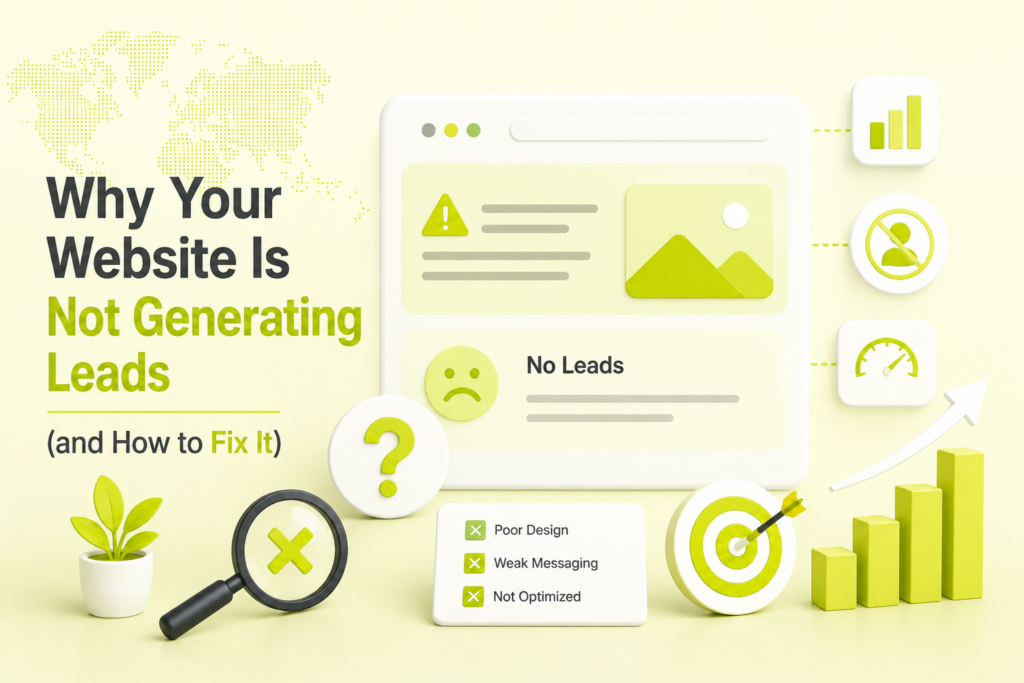
Quick answer: Most websites fail to generate leads for one of three reasons — the right people can’t find the site, the site loads or reads badly once they do, or nothing on the page actually asks them to take action. If you have traffic but no leads, the problem is almost always conversion (weak offer, unclear value, or a broken capture path). If you have neither traffic nor leads, the problem is visibility (SEO, technical health, or absence from AI search). Below, we break down the nine most common causes and the fix for each.
Few things are more frustrating than a website you paid good money for that just sits there. Maybe the analytics show visitors coming in, but your inbox stays empty. Maybe even the traffic has dried up. Either way, a site that doesn’t produce enquiries, demos, or sales isn’t a marketing asset — it’s an expense.
The good news is that “my website isn’t generating leads” is rarely a mysterious problem. In a typical website audit at Nowoka Digital, the cause turns out to be one of a handful of fixable issues. Here’s how to find yours.
Why is my website getting traffic but no leads?
If people are landing on your site but not converting, the issue is your conversion path, not your traffic. Visitors are arriving, looking around, and leaving because nothing convinced them to act — or because acting was too much work.
The usual culprits:
- No clear, single call to action. A page that offers ten things asks for none. Every important page needs one obvious next step (“Book a free audit,” “Get a quote,” “Start a trial”) repeated where the eye naturally lands.
- A vague value proposition. If a visitor can’t tell what you do, who it’s for, and why you’re the better choice within five seconds, they bounce. Lead generation starts with clarity, not cleverness.
- Too much form friction. Every extra field adds friction. Ask for the minimum you need to start a conversation, and add the rest later.
- Missing trust signals. No reviews, no case studies, no logos, no real team — buyers hesitate. Proof reduces perceived risk, and reduced risk means more submissions.
The fastest way to find the specific leak is to review the journey page by page. A structured free website audit will show you exactly where visitors drop off and which pages are quietly killing conversions.
Is my website even visible in search?
If you’re getting almost no traffic, your website isn’t generating leads because your target customers literally cannot find it. Ranking on page two or three of Google is, for lead-generation purposes, the same as not ranking at all.
Search visibility problems usually stem from thin or unfocused content, targeting keywords with no buying intent, weak topical authority, or simply never having built an SEO foundation in the first place. Publishing a handful of pages and hoping is not a strategy — competitors who invest in professional SEO services will out-rank and out-earn you on every commercial keyword that matters.
And no, the answer isn’t to give up on search because “AI killed it.” That myth deserves its own discussion, which is why we wrote about whether SEO is dead in 2026 — the short version is that search has fragmented across new surfaces, not disappeared. Ignoring it is still the single most common reason a website generates no leads.
Are technical problems quietly blocking your leads?
A website can have great content and still generate no leads if search engines can’t crawl it and visitors won’t wait for it. Technical issues are invisible on the surface but devastating underneath.
Watch for these lead-killers:
- Slow load times and poor Core Web Vitals. Google highly recommends good Core Web Vitals, with targets of LCP within 2.5 seconds and INP under 200 milliseconds. A slow page is a hurdle before anyone reaches your form.
- Broken mobile experience. Google indexes and ranks the mobile version of your content, and you can check how much of your own traffic is on phones in GA4. If forms are hard to tap or text is unreadable, those visitors are gone.
- Indexing and crawl errors. If key pages aren’t indexed, they can’t rank, and traffic they’d have earned never arrives.
- Insecure or error-prone pages. Mixed content warnings, 404s, and redirect chains erode both rankings and trust.
These problems compound silently. A technical crawl that surfaces and fixes crawlability, speed, and indexing issues — the focus of dedicated technical SEO services — often unlocks rankings and leads a site was leaving on the table for months.
Are you invisible where buyers now research — AI search?
Here’s the reason that didn’t exist a couple of years ago and now sabotages lead generation for businesses that haven’t adapted: your buyers increasingly research inside AI tools, and your brand isn’t showing up there.
A prospect asks ChatGPT “who are the best providers for X,” or reads a Google AI Overview that summarizes the top options, and makes a shortlist before they ever type your name into a search bar. If you’re not cited in those answers, you’re eliminated from consideration silently — no bounce to explain it, no data in your funnel, just fewer enquiries than your traffic should produce.
Google says its AI features follow the same SEO fundamentals, with no additional technical requirements, so start with indexable, helpful, clearly written pages. Two things move the needle here: earning placement inside Google’s AI Overviews, and shaping how assistants describe you, which we cover in our guide to optimizing your website for ChatGPT. For businesses that want this handled end to end, our GEO services and LLM SEO services are built specifically to get you cited and recommended across generative search.
Are you attracting the wrong visitors?
Traffic is not the same as qualified traffic. A website can get thousands of visits and generate no leads because none of those visitors were ever going to buy.
This happens when content targets informational keywords with no commercial intent, when paid campaigns are aimed at broad, cheap audiences instead of buyers, or when the messaging attracts browsers rather than decision-makers. You end up paying — in effort or ad spend — to bring in people who were never in the market.
The fix is intent alignment: match your pages and campaigns to what ready-to-buy prospects actually search and click. On the paid side, tightly targeted PPC and paid advertising campaigns can put your offer in front of high-intent buyers immediately, while your organic strategy compounds in the background. The goal is fewer, better visitors — not bigger vanity numbers.
Does your site build enough trust to convert?
People don’t hand over their contact details to a business they don’t trust, and trust is built well before someone reaches your contact form. If your brand has no visible presence, no social proof, and no evidence of real customers, your website will underperform no matter how good the design is.
Assume buyers will check your social profiles, reviews and recent activity before they convert. A dormant or absent social presence signals risk. An active one — with real engagement, testimonials, and content that demonstrates expertise — does the opposite. Consistent social media marketing feeds that trust loop, warming up audiences so that by the time they hit your site, converting feels safe rather than risky.
Is your lead capture actually working — and being measured?
Sometimes the leads are happening, but you can’t see them, or the mechanism is quietly broken. Before assuming your site doesn’t convert, confirm the plumbing works.
Check that:
- Forms actually submit and the notifications reach a monitored inbox (not spam).
- Confirmation and thank-you pages fire correctly so submissions are trackable.
- Your analytics and conversion tracking are set up properly, so you can tell which pages and channels produce leads.
- Someone follows up fast. A lead that waits days for a reply is often a lead lost to a competitor who called first.
You cannot fix what you cannot measure. Accurate tracking turns “the website doesn’t work” into “this page converts at 1%, that channel converts at 6%” — and that clarity is where real improvement begins.
How to diagnose which problem is yours
You don’t need to fix all nine at once. Work through them in this order:
- Check your traffic first. Little to no traffic points to visibility problems — SEO, technical health, and AI-search presence. Solid traffic with no leads points to conversion problems — offer, clarity, trust, and capture.
- Confirm the basics work. Test every form and CTA yourself, on desktop and mobile. Rule out broken plumbing before anything else.
- Review the highest-traffic pages. Fix the leaks where the most visitors already are, because those changes pay back fastest.
- Then invest in the root cause. Whether that’s rankings, technical performance, AI visibility, paid acquisition, or trust-building, put resources behind the constraint that’s actually holding you back.
Why is my WordPress site not generating leads?
A WordPress site usually fails to produce leads for the same reasons as any other site, plus a few platform traps: search visibility switched off in Settings, form emails that never reach you, slow plugin-heavy pages, and no conversion tracking. Check those four before you redesign anything, because each one can hide an otherwise decent site.
- Search visibility. In Settings, Reading, there’s a box called “Discourage search engines from indexing this site”. According to the WordPress documentation, ticking it adds a noindex, nofollow robots tag to your pages. It’s meant for sites under construction, and it’s easy to forget after launch. If your leads dried up after a relaunch, look here first.
- Form delivery. Submit your own contact form from a phone and a desktop, then see where the notification lands. If it goes to spam or nowhere, you’ve been losing leads you never knew about. Keep a copy of every submission inside WordPress or your CRM so a lost email doesn’t mean a lost lead.
- Page weight. Every extra plugin, slider and tracker adds work for the browser. Google’s targets are LCP within 2.5 seconds and INP under 200 milliseconds, and its Core Web Vitals page explains how to measure them. Our guide to why your website is slow walks through the usual fixes.
- Tracking. If you can’t see which page produced which enquiry, you can’t improve it. The tracking section below shows the GA4 setup.
If the fixes pile up faster than your team can handle them, our web development services can take the technical work off your plate.
Why is my corporate website not generating leads?
Corporate sites often describe the company instead of the buyer’s problem. They hide the contact route, lean on internal jargon, and have no pages written for the specific searches buyers make. Fix that by building pages around buyer problems, giving each page one clear next step, and measuring enquiries rather than visits.
Corporate and B2B sites have a particular trap: the visitor who reads your page may not be the person who signs the contract. They need something they can forward. That changes what a good page contains.
- Lead with the outcome, not the org chart. A homepage that opens with your history makes visitors work to find out what you do for them.
- One page per buying question. If prospects search for a specific service, problem or comparison, a general “Solutions” page won’t answer it.
- Give a low-commitment next step. Not every visitor is ready for a sales call. A short audit request, a checklist or a pricing guide gives them a way to raise a hand.
- Make proof easy to find. Only show testimonials, logos and results you can back up. If you don’t have them yet, show your process and the people doing the work.
- Route enquiries to a named person. A contact form that lands in a shared inbox nobody owns is a quiet lead killer.
For longer sales cycles, our B2B CRO services focus on exactly this path from first visit to enquiry, and why most startup websites fail covers the early-stage version of the same problems.
Why is my SEO strategy not generating qualified leads?
Usually because your pages target searches with no buying intent, or because the traffic that arrives meets a weak offer. Open Search Console, look at the queries behind your clicks, and compare them with what ready-to-buy customers actually search. Fix that match before you publish anything else.
Google’s Performance report shows which queries bring traffic and which pages have the highest and lowest click-through rates. Pair it with GA4’s key events and you can tell where the chain breaks. Use this table as a starting point.
| What you see | Likely cause | Where to check |
|---|---|---|
| Impressions, few clicks | Weak title or snippet, or the page doesn’t match the query | Search Console Performance report, by page and query |
| Clicks, no leads | Weak offer, unclear call to action, or form friction | GA4 Landing pages report, Key events column |
| Leads, but poor quality | Traffic from informational or too-broad queries | Compare Search Console queries with what leads say they wanted |
| Key pages get no impressions | Not indexed, noindex tag, or blocked | URL Inspection in Search Console |
| Analytics shows leads, inbox is empty | Form notifications failing | Submit a test enquiry and follow it through |
If the pattern points at SEO rather than the page, read why SEO isn’t working in 2026 next. If it points at the page, how to increase conversions without improving rankings shows what to change first, and our conversion rate optimization services can run the work.
How do you track leads from your website?
Decide which actions count as a lead, such as a form submission, a call click or a booking. Record each as an event in GA4, then mark it as a key event. GA4 then shows key events by landing page and by acquisition channel, so you can see which pages and sources actually produce leads.
Google’s key events help page describes the idea: an event that measures an action important to your business can be marked as a key event, and many reports, including the Landing pages and User acquisition reports, then show a Key events column. In practice:
- List your lead actions. Keep it short. One or two real lead actions beat ten minor ones.
- Create or identify an event for each action, then mark it as a key event in GA4.
- Test it yourself. Submit the form and confirm the event shows up. Do this again after any site update.
- Check key events by landing page to find which pages convert, and by channel to find which sources send leads rather than just visits.
- Match analytics to reality. Compare GA4’s count with the enquiries in your inbox or CRM each month. A big gap means something is broken.
If you’d like this set up properly, our GA4 consulting service covers it, and tracking AI referral traffic in GA4 shows how to separate that traffic from the rest.
What is the 5-minute rule for leads?
It’s a sales rule of thumb: reply to a new web enquiry within about five minutes. We haven’t verified a specific study behind it, so treat it as a speed target, not a proven law. The practical point holds, though. If a prospect has contacted two providers, the one who replies first usually has the advantage.
You don’t need a big team to hit a fast response. You need an alert that reaches a real person, a short template that answers the first question, and a rule for who picks up after hours. Auto-replies help as a receipt, but they don’t replace a human reply.
How can you generate leads on your website in 30 days?
Start with the plumbing, then the pages that already get traffic, then the match between queries and offers. Don’t start with a redesign. In a month you can confirm that forms work, fix the biggest leaks, and set up tracking that tells you what to do next. Here’s a simple plan.
- Week 1, confirm the basics. Test every form and call-to-action on desktop and mobile. Check that your site isn’t set to discourage indexing, and that key pages are indexed. Set up key events in GA4.
- Week 2, fix your top pages. Take the five pages with the most visits. Give each one clear outcome-led copy, one main call to action and a shorter form.
- Week 3, match queries to offers. In Search Console, find queries with impressions but few clicks and rewrite the titles and snippets. Add or improve pages for buying-intent searches you don’t cover. Google’s SEO starter guide says a good title is unique, clear and concise, and describes the page accurately.
- Week 4, measure and decide. Compare key events by landing page and channel. Keep what works, and put the next month’s effort where the biggest gap is. Google itself suggests waiting a few weeks before judging a change, so don’t flip your strategy after a few days.
Want a second opinion on the order? Our free website analysis flags the biggest blockers on your site, and the contact page is there if you’d rather talk it through.
Last verified: 12 October 2026. Tools and documentation change, so check the linked pages for current wording.
Frequently asked questions
Why is my website not generating leads?
The usual causes are low search visibility, slow or broken mobile pages, an unclear offer or call to action, traffic that isn’t ready to buy, weak trust signals, and lead capture that isn’t working or isn’t tracked. If you have visitors but no enquiries, start with conversion; if you have neither, start with visibility.
My website gets traffic but no leads. What's wrong?
That points to the conversion path, not the traffic. Check for a vague offer, no single clear call to action, long forms, missing proof, and forms that fail to deliver. Test every form yourself on desktop and mobile, then review your highest-traffic pages first.
How long does it take for a website to start generating leads?
It depends on the channel. Google says SEO changes can take from hours to several months to show, and suggests waiting a few weeks before judging them. Paid ads can send traffic sooner, but you still need a page that converts. Track key events from day one.
Can SEO alone fix a website that isn't generating leads?
Only if visibility is the problem. SEO brings the right people to the site, but if the offer, page or form is weak, extra traffic won’t turn into enquiries. Check Search Console for traffic and GA4 for conversions to see which side is failing.
Why is my WordPress site not generating leads?
Check four things first: the Reading setting that discourages search engines from indexing the site, whether form notifications actually reach you, page speed on mobile, and whether conversions are tracked. Any of these can hide an otherwise decent site, and all four are quick to test.
How can I generate leads on my website?
Make sure forms work, give each key page one clear call to action and a short form, write pages for buying-intent searches, and track key events in GA4. Reply to enquiries quickly. Fix what you already have before adding traffic, because more visitors won’t help a leaky page.
What is the 5-minute rule for leads?
It’s a sales rule of thumb: respond to a new web lead within about five minutes. We haven’t verified a specific study behind it, so treat it as a speed target. A fast human reply, backed by an alert to a named person, is what matters.
Why is my SEO strategy not generating qualified leads?
Usually the pages target searches with no buying intent, or the offer behind them is weak. Use Search Console to see which queries bring clicks, then compare them with what your customers search when ready to buy. Align content to that intent before publishing more.
How do I track leads from my website in GA4?
Decide which actions count as leads, such as form submits or call clicks. Record each as an event, then mark it as a key event in GA4. The Landing pages and User acquisition reports then show a Key events column, so you can see which pages and channels produce leads.
Turn your website into a lead engine
A website that doesn’t generate leads is almost always fixable — once you know which of these causes is holding yours back. The hard part is diagnosing the real constraint instead of guessing.
That’s exactly what we do. Get a free website audit and we’ll review your site, identify the top opportunities and biggest blockers, and show you where your leads are leaking. Prefer to talk it through first? Get in touch and we’ll map out a plan together.

Riya Bhardwaj
Leading content and growth initiatives with a focus on search visibility, audience engagement, and measurable business outcomes. Specialised in SEO, Generative Engine Optimization (GEO), AI search optimisation, and performance-driven content marketing. Passionate about transforming market insights into scalable content strategies that strengthen brand authority and drive sustainable digital growth.