

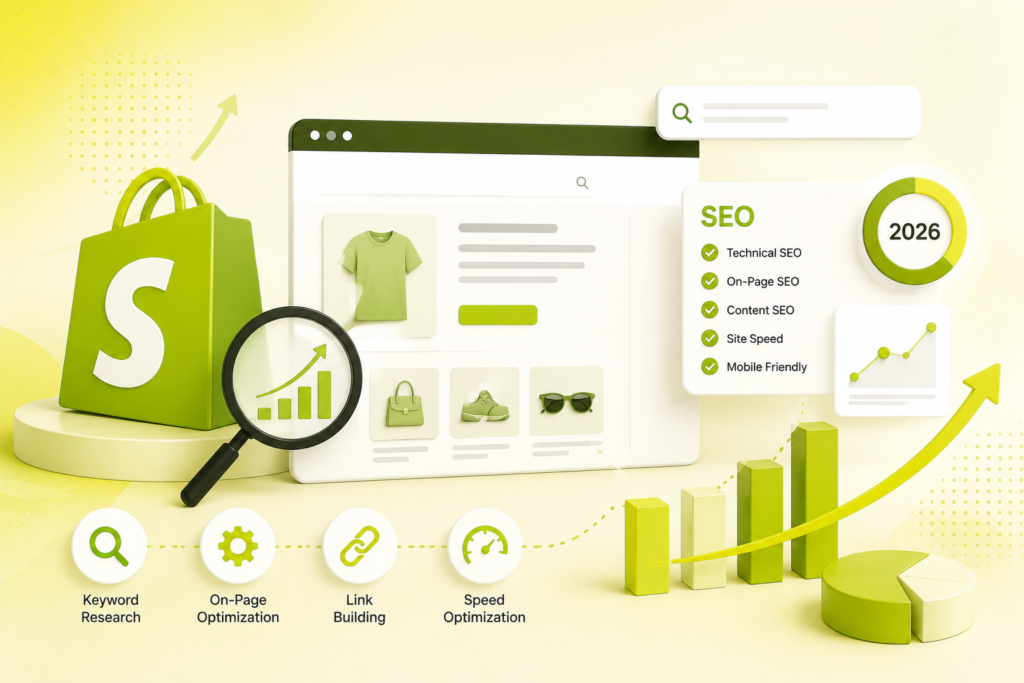
Shopify hands you a strong technical foundation — and then gets out of the way. Ranking is about what you do on top: collections, product data, duplicate-URL hygiene, speed, and content. Here’s the step-by-step, platform-aware playbook.
Quick answer
Shopify automatically handles the SEO basics — sitemap, robots.txt, canonical tags, HTTPS, mobile themes, and basic Product schema — but it gives you a foundation, not a strategy. To rank a Shopify store in 2026: get your site structure flat and logical, fix the /collections/ vs /products/ duplicate-URL issue (usually already canonicalized, but verify), optimize your collection pages with unique copy (your biggest win — they’re your commercial landing pages), write unique product descriptions with schema and AI-readable fields, nail titles and meta, keep the store fast (watch app bloat), and run a content engine that links to your commercial pages. Technical fixes show up in weeks; rankings take three to six months.
Shopify’s promise is that it handles the plumbing so you can sell. That’s largely true — and it’s also why so many Shopify stores plateau. The defaults get you crawlable and indexable, but they won’t write your collection copy, differentiate your product pages, or stop apps from slowing your store. This guide walks through exactly what the platform does for you, the quirks you have to manage, and the steps that actually move rankings. (For the flip side — the errors to avoid — pair this with common eCommerce SEO mistakes.)
What Shopify does for you automatically
Credit where due — the technical floor is solid. Out of the box, Shopify generates a sitemap.xml, serves a default robots.txt, adds canonical tags to product pages, enforces HTTPS across the store, ships mobile-responsive themes, and produces clean, crawlable HTML. Modern themes like Dawn even include Product/Offer schema, so a fresh store can pass Google’s Rich Results Test before you touch anything. As Google’s John Mueller has long noted, exact URL structure matters little as long as it’s consistent and keyword-relevant — and Shopify gives you that consistency by obligation.
The Shopify quirks you have to know
The trade-off for that automation is control. Understand these platform constraints before anything else:
- Fixed URL prefixes. Every page type is locked to a path —
/products/,/collections/,/pages/,/blogs/. You can only edit the handle after the prefix, not remove the prefix. - The duplicate URL pattern. A product can live at both
/products/handleand/collections/name/products/handle. Shopify auto-canonicals to the clean/products/version by default and this usually works — it only fails in narrow cases (custom themes that broke the canonical object, page-builder apps that re-render the head, or thewithin:Liquid filter used without a canonical override). - Limited robots.txt control. You can’t freely edit it; the only lever is the optional
robots.txt.liquidtemplate (most useful on Shopify Plus). The default already blocks cart, checkout, admin, and internal search. - Basic blog. Functional but limited versus WordPress — no custom taxonomies or advanced structures. It still works if you actually use it.
The step-by-step Shopify SEO guide
- Get your site structure right
Aim for a flat hierarchy where no page is more than three clicks from the homepage, and an efficient collection-to-product path. Plan your URL handles before publishing — keep them short, keyword-first, and free of stop words — because changing a handle after indexing creates redirects. When you do rename, let Shopify create the automatic 301. - Fix duplicate content and canonicals
Confirm canonicals point to the clean/products/URL. Searchsite:yourstore.com/collectionsin Google to spot collection-scoped product URLs that shouldn’t be indexed. Then tame filters: faceted URLs like?color=black&size=Mcan spawn thousands of near-duplicates and drain crawl budget — canonicalize them to the root collection, and on Plus, disallow low-value parameter combos viarobots.txt.liquid. Audits routinely find hundreds of poorly-canonicalized collection URLs bloating a store’s index. - Optimize your collection pages (your biggest win)
Collections are the primary landing pages for high-volume, commercial-intent keywords — and they’re the most under-optimized pages on most stores. Add unique, keyword-relevant copy above and/or below the product grid (aim for a few hundred genuinely useful words, not filler). Prefer traditional pagination or a “load more” that preserves unique URLs over infinite scroll. - Optimize your product pages
Write unique descriptions — never paste manufacturer copy, which Google treats as thin/duplicate. Add descriptive alt text, and populate the data-rich fields (barcode/GTIN, type, vendor, variants, materials, sizing, care). Validate Product/Offer schema — rich snippets like star ratings and price can lift click-through by up to ~30%. - Nail titles and meta
Optimize each page’s meta title (keep it under ~60 characters) and description (under ~155) via the Search Engine Listing Preview, leading with the target keyword and a compelling reason to click. Make every title and description distinct — duplicates tell Google your pages aren’t different enough to rank separately. - Speed and Core Web Vitals
Hit LCP under 2.5s, INP under 200ms, CLS under 0.1 on real mobile data. The most common Shopify culprit is app bloat — every app injects JavaScript. Keep a lean stack (a common rule is a max of ~2 SEO apps) and audit quarterly. See best Shopify apps for lean picks, and why your website is slow plus how speed impacts rankings for the fixes. - Build a content engine
Most Shopify blogs are abandoned after a handful of posts — that’s the opportunity. Publish buying guides, comparisons, and FAQs targeting informational keywords, and link every post to at least one or two commercial collection or product pages. That’s how you capture demand early and funnel it to pages that convert. - Optimize for AI shopping (the 2026 reframe)
Shopify SEO is becoming product-data SEO. AI Overviews, ChatGPT shopping, Perplexity, Gemini, and Shopify’s own Shop app all read the same catalog fields. A store that ranks in classic search but ships thin product data misses every AI shopping surface. Rich, structured, accurate product data is now your ticket into both — the focus of our GEO, LLM SEO, and AI Overviews work. - Measure and maintain
Live in Google Search Console. Compare indexed pages against your sitemap — the gap is your first clue. Investigate “Crawled – currently not indexed” (usually thin content), “Duplicate, submitted URL not selected as canonical” (a canonical issue), and Core Web Vitals failures on your revenue pages first. Refresh key content roughly every 90 days.
Match the page type to search intent
Ranking on Shopify is largely about pointing the right page type at the right query:
| Query type | Example | Best page |
|---|---|---|
| Commercial (category) | "leather laptop bags" | Collection page |
| Transactional (specific) | "14-inch tan leather laptop bag" | Product page |
| Informational | "how to care for leather bags" | Blog post → links to collection |
| Branded "[your brand] | laptop bag" | Homepage / product page |
Pointing a product page at a broad category term (or a blog post at a transactional one) is a mismatch that quietly caps rankings.
How long does Shopify SEO take?
Technical fixes — canonicals, speed, indexing — can show up within weeks. Meaningful ranking and traffic gains usually take three to six months, longer in competitive niches. That’s not a reason to wait; it’s the reason to start now, because organic is the one channel that gets cheaper over time. If results are slower than expected, diagnose against our broader guides on why SEO isn’t working and common SEO mistakes, and remember the whole point is revenue — pair rankings with a store that actually converts.
The mindset that wins on Shopify: accept the platform’s constraints, master its quirks, and pour your energy into the levers it leaves open — collections, product data, speed, and content. Do that consistently and Shopify’s technical floor becomes a launchpad instead of a ceiling. When you want the heavy lifting done for you, that’s our SEO and technical SEO teams’ core work.
Frequently asked questions
Does Shopify have good SEO out of the box?
It gives a solid technical floor — auto sitemap and robots.txt, canonical tags, HTTPS, mobile themes, and basic Product schema — but a foundation, not a strategy. Rankings still depend on your titles, collection and product content, internal links, speed, and structured data.
What is the biggest Shopify SEO issue?
Thin collection pages and duplicate product URLs. Collections are your highest-value commercial pages but often ship with no unique copy, and Shopify’s structure lets a product live under both /products/ and /collections/.../products/, risking duplication if canonicals aren’t right.
How do I fix the /collections/ and /products/ duplicate URL issue?
Shopify already canonicals to the clean /products/ URL by default. It only fails with custom themes that broke the canonical object, page-builder apps that re-render the head, or the within: filter used without a canonical override. Verify in Search Console (search site:yourstore.com/collections).
Are collection or product pages more important?
Collections usually matter most for traffic — they’re the landing pages for high-volume commercial keywords and the most under-optimized pages on most stores. Adding unique descriptions to them is often the highest-return task. Product pages then win specific, transactional searches.
How long does Shopify SEO take to work?
Technical fixes can improve crawling and indexing in weeks; meaningful ranking and traffic gains typically take three to six months, longer in competitive niches. SEO compounds, so starting early pays off.
How many SEO apps should a Shopify store use?
As few as possible — a common rule is a max of about two active SEO apps. Every app adds JavaScript that can slow your store and hurt Core Web Vitals, so audit quarterly and remove anything unused.
Most Shopify stores leave their biggest wins — collections, product data, and speed — on the table. Get a free store audit and we’ll show you exactly where the rankings and revenue are hiding, and how to capture them.

Riya Bhardwaj
Leading content and growth initiatives with a focus on search visibility, audience engagement, and measurable business outcomes. Specialised in SEO, Generative Engine Optimization (GEO), AI search optimisation, and performance-driven content marketing. Passionate about transforming market insights into scalable content strategies that strengthen brand authority and drive sustainable digital growth.