
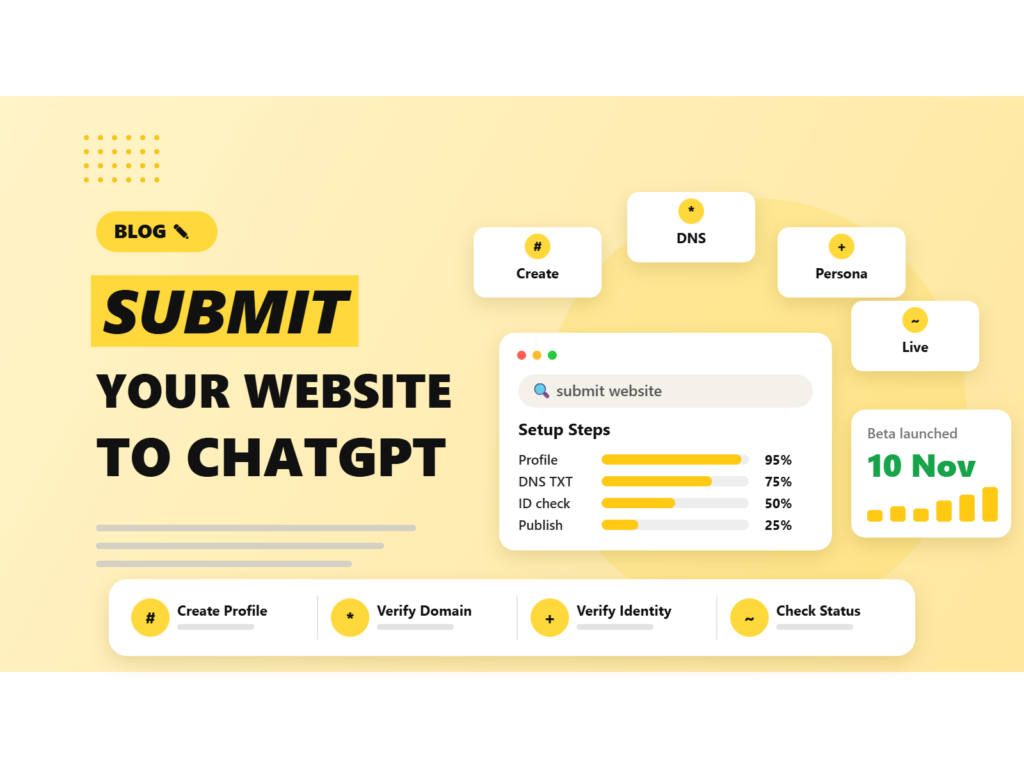
If you run a website, you may have seen headlines about “submitting your site to ChatGPT”. OpenAI launched Businesses in ChatGPT in beta on 10 November 2026, and the Business Hub is where you add a website-based business, verify your domain and manage the details ChatGPT may use. Search Engine Journal published a hands-on walkthrough on 12 November 2026. This guide builds on that and on the launch coverage, and adds a checklist, common mistakes and what to do after you submit. For the wider picture, see our overview of the ChatGPT Business Hub features.
Quick answer: To submit your website to ChatGPT, sign in, open Business Hub, search for your business or create a new profile, choose the website option, add the DNS TXT record ChatGPT gives you to verify your domain, pick a category and description, save the draft, then pass an identity check and submit your business details. The Hub launched in beta on 10 November 2026. Submitting does not guarantee more mentions, but it gives you control over your details and access to mention and click data.
When did ChatGPT Business Hub launch?
OpenAI opened Businesses in ChatGPT, including the Business Hub, in beta on Tuesday 10 November 2026. The rollout is gradual, so the Hub may not be visible to every business yet, and some launch-day claims were put on a waitlist. Reports put ChatGPT at about 1.2 billion weekly users, which is why a profile there is getting so much attention. Search Engine Journal’s setup walkthrough followed two days later, on 12 November 2026.
Why submit your website to ChatGPT?
- You control the facts. You choose the category, description and contact details ChatGPT may use when it talks about your business.
- You get data. Business Insights reports mentions and website clicks, plus discovery topics. Search Engine Journal says a mention counts only when ChatGPT references your website, not when it names your brand alone.
- You can grow into more features. A verified profile is the base for product feeds and, for eligible US ecommerce and online service businesses, Business Agents.
- You verify ownership. The DNS and identity checks show that the profile belongs to the real business.
Be clear about what it is not. OpenAI has not described the Hub as a crawl request tool, and claiming a profile is not said to change how often ChatGPT mentions you. Keep doing the basics of SEO: clear pages, accurate content and a fast site.
What to prepare before you submit
- A ChatGPT account for the person who will own the profile.
- Access to your domain’s DNS settings, or the person who manages them.
- A government-issued ID and a phone with a camera for the Persona identity check.
- Your public business name, legal name and any DBA (trading name).
- Your business type, such as sole proprietorship or company, as shown in your business documents.
- Your physical address, and your legal registered address if different. P.O. boxes are not accepted.
- A tax or registration number if you have one. The field was optional in Search Engine Journal’s example, but check which identifier it asks for.
- A business email and phone number (optional), plus a short plain-language description.
How to submit your website to ChatGPT Business Hub, step by step
Step 1: Find or create your profile
Sign in to ChatGPT, open Business Hub and search for your business name. If a matching listing appears and it is yours, select it. If nothing matches, choose the option to create a new profile.
Step 2: Choose how customers interact with you
For an online business, pick the option for interacting through a website. Search Engine Journal notes that creating a physical-location profile may lead to a waitlist, so the website route is the smoother path for online-only businesses.
Step 3: Verify your domain with a DNS TXT record
ChatGPT shows a TXT record with a type, a name (host) and a value. Log in to wherever your DNS is managed, such as your domain registrar or hosting panel, and add that record exactly as shown. Wait for the change to take effect, then return to ChatGPT and click verify. If it fails, DNS may not have updated yet, so wait and retry. If you do not have DNS access, ask whoever manages the domain to add the record for you.
Step 4: Pick a category and write a description
Choose the closest category from the predefined list. The optional description may be used in relevant conversations, so write it for people first: what you do, who it is for and where you operate. Keep it factual and avoid keyword stuffing. Our guide to generative engine optimisation explains how clear, structured wording helps AI tools.
Step 5: Add contact details and answer the policy questions
You can add a business email and phone number. The form also asks about delivery and returns, which can feel awkward if you are a publisher or service business. Answer as accurately as you can and check how it looks in the profile preview.
Step 6: Save the draft
Your profile is saved as a draft at this point. Search Engine Journal saw a screen offering a $500 advertising credit and an upgrade to a ChatGPT Business plan. The credit has its own eligibility and redemption terms, and both offers are optional, so read the details before you accept anything.
Step 7: Verify your identity and submit your business details
The identity check runs through Persona. You scan a QR code or open a secure link on your phone and allow camera access. You do not need to download an app. Then enter your business name, DBA, country, business type, website, physical address and legal registered address if different. According to Search Engine Journal, approval automatically publishes profiles created this way.
Step 8: Check the status and invite your team
Verification may show as pending. Return to the business overview to check it. When you are ready, use the Invite option to add teammates. Each person needs their own ChatGPT account, and profiles claimed through a ChatGPT workspace may require invitees to be workspace members.
If you own an existing store or restaurant listing in the US, the route is different: you claim the listing and verify by a code sent to your business phone, by SMS or an automated call. We cover that route in our guide on how to claim your business profile in ChatGPT Business Hub.
Common mistakes when submitting your website to ChatGPT
- Using a personal account. The account you use becomes the admin owner, so use one your company controls.
- Getting the DNS record wrong. Copy the type, name and value exactly. A typo in the host or value is the most common reason verification fails.
- Using a P.O. box. Physical and legal addresses must be real street addresses.
- Mixing public and legal names. Use your legal name in the fields that ask for it and your public name elsewhere. If you rebranded, explain the old and new names on your site and in your description.
- Stuffing the description with keywords. It may be used in conversations, so write it for readers.
- Ignoring the tax ID field. Search Engine Journal warns the placeholder can look like a US EIN, so confirm which identifier your country and business type need.
- Treating one claim as covering everything. Multi-brand and multi-location companies manage each brand separately.
- Expecting instant results. Verification can be pending, and mentions and clicks only appear once there is enough activity.
After you submit: what to expect and how to use the data
Business Insights shows mentions and website clicks. OpenAI says the data is aggregated and subject to reporting thresholds, and you cannot see private conversations. In Search Engine Journal’s example, a publisher’s chart for 14 October to 10 November 2026 showed 353,356 mentions and 2,663 website clicks. Mentions run far ahead of clicks, so judge results by visits and leads in your own analytics.
Next, keep your details consistent. Your name, address and phone number should match across your website, Google Business Profile, directories and social profiles. If you sell products, look at OpenAI’s feed upload option for prices and availability. Business Agents are rolling out gradually to more regions, but for now are limited to eligible US businesses.
For a plan to make the most of your profile, read our post on how ChatGPT Business Hub helps your business.
How Nowoka can help
We can handle the DNS setup, profile copy and website content so your business is verified and described accurately in ChatGPT. See our GEO services, AI SEO services and AEO services.
Sources: Search Engine Journal, PPC Land, TechCrunch, AIN. The feature is in beta and details may change.
Frequently asked questions
How do I submit my website to ChatGPT?
Open Business Hub in ChatGPT, search for your business or create a new profile, choose the website option, verify your domain with a DNS TXT record, add a category and description, save the draft, then complete the identity check and submit your business details.
When did ChatGPT Business Hub launch?
OpenAI launched Businesses in ChatGPT, including the Business Hub, in beta on Tuesday 10 November 2026. Rollout is gradual and some claims were waitlisted.
Do I need to submit my website to appear in ChatGPT?
OpenAI has not said a profile is required for ChatGPT to mention your site. The Hub is presented as a way to manage how your business appears and to see mention and click data.
What DNS record do I need to verify my domain?
A TXT record. ChatGPT shows the type, name and value to add at your DNS host. After the change takes effect, return to ChatGPT and click verify.
Is it free to submit my website?
OpenAI has not stated a fee for creating a profile. The draft screen can offer a $500 advertising credit and a ChatGPT Business plan upgrade, both optional and with their own terms.
Our team can handle the DNS setup, profile copy and website content so your business is verified and described accurately in ChatGPT.

Riya Bhardwaj
Leading content and growth initiatives with a focus on search visibility, audience engagement, and measurable business outcomes. Specialised in SEO, Generative Engine Optimization (GEO), AI search optimisation, and performance-driven content marketing. Passionate about transforming market insights into scalable content strategies that strengthen brand authority and drive sustainable digital growth.