
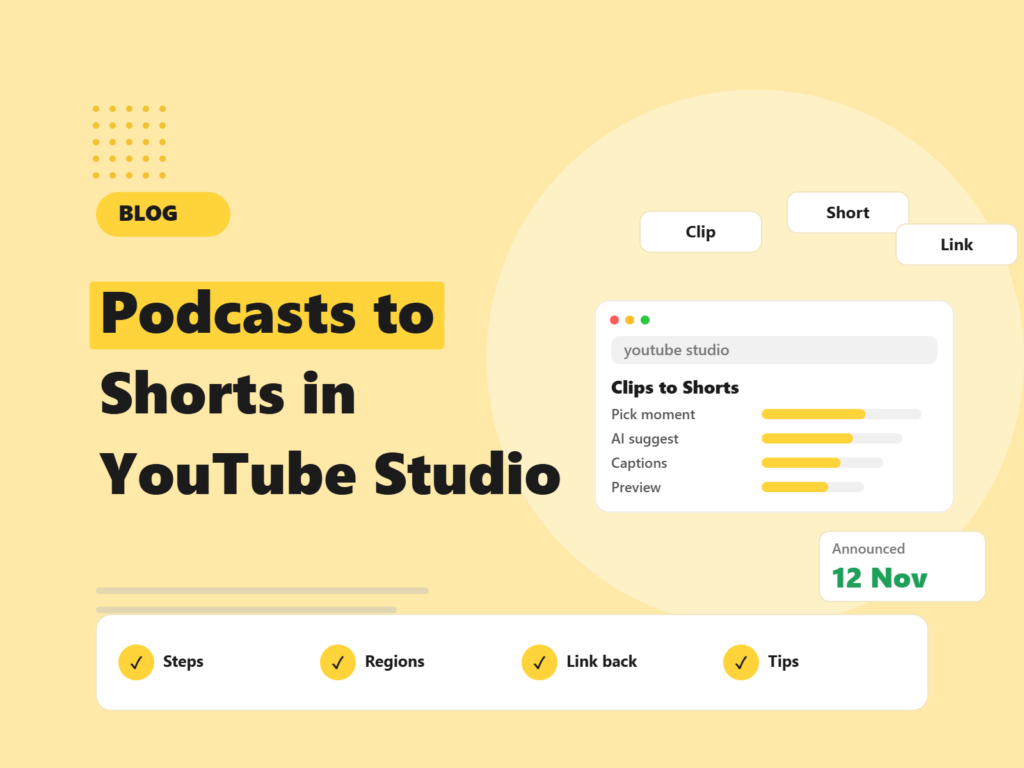
Turning a long podcast episode into a handful of Shorts used to mean a separate editing tool, an export and an upload. YouTube has now brought that into Studio. Search Engine Journal reported on 15 November 2026 that YouTube expanded its clips tool to Shorts, in a change announced on 12 November in a Help Community post aimed at podcast creators. Here is how it works, where AI suggestions are available, and how to use it without hurting quality.
Quick answer: In YouTube Studio you can open an existing long-form video, choose the Shorts option, pick start and end points or select transcript text, and create a vertical Short. AI suggestions for standalone moments are listed for ten countries and seven languages. Shorts made this way automatically link back to the source video, unless the Short is private, unlisted or Made for Kids.
What did YouTube launch?
YouTube expanded the video clips tool in YouTube Studio so creators can turn segments of long-form videos, such as podcast episodes, into vertical Shorts without leaving Studio. The source must be an existing long-form video.
How does it work, step by step?
- Open the video in Studio. Pick an existing long-form video and choose the Shorts option from the left-hand menu.
- Choose the moment. Set start and end points on the timeline, or select text in the transcript.
- Use AI suggestions where available. YouTube suggests moments that can stand alone, with a transcript outline. You review and edit them.
- Check the vertical framing. YouTube converts 16:9 footage to vertical and tries to keep the key content in frame.
- Review captions. Captions are added automatically where available. You can change style and position, or turn them off.
- Preview and create a draft. Then publish when you are happy.
The standard clips tool still exists. For clips, YouTube’s help page recommends adding a source link in the description.
Where is it available?
AI suggestions are listed for Brazil, Canada, France, Germany, India, Mexico, South Korea, Spain, the UK and the US. Supported languages are English, French, German, Hindi, Korean, Portuguese and Spanish. SEJ notes that an April capture of the help page limited suggestions to English podcast playlists in the US and Canada, and that the current page does not mention podcast playlists. YouTube says it plans to expand AI suggestions to more creators but gave no countries, languages or dates.
If you are outside these countries or languages, you can still choose moments by timeline or transcript. The AI suggestion part may simply not appear for you yet.
What about the link back to the full episode?
Shorts made with the tool automatically link to the source video under the channel handle. The link is not added if the Short is private, unlisted or Made for Kids. Shorts uploaded from outside Studio need the related-video link added manually, which SEJ says requires advanced feature access. For podcast teams, the automatic link is a built-in way to send Short viewers to the full episode, and YouTube recommends keeping only full episodes in podcast playlists.
Is reusing your own content a problem?
YouTube’s help page says creators will not be penalised for reusing their own content in a clip or Short. SEJ points out that this does not address recommendations, which were the focus of YouTube’s 1 October change on reduced reach for channels that mainly re-upload other creators’ clips. In short: clip your own work, and keep adding value.
How to get good results with it
- Treat AI picks as a first draft. YouTube says you must review and edit suggestions. Check each clip makes sense without context.
- Start with a hook. Choose moments where the first few seconds state the point.
- Check captions and framing. Confirm captions are accurate, especially for names and terms, and that faces and key visuals stay in frame.
- Make each Short about one idea. Standalone moments work best.
- Point to the full episode. Use the automatic link, and say in the Short where to find more.
- Keep a schedule. One episode can feed several Shorts across a week. Track which topics get views.
Why does this matter for marketing teams?
If you already record webinars, interviews or podcasts, this lowers the cost of getting more from each recording. It also helps discovery: video content is cited often in AI answers, which we cover in Reddit and YouTube in AI citations. For short video ideas beyond YouTube, see our AI video ads guide, and our YouTube video marketing services page for how we help brands plan a channel.
What we do not know yet
- When AI suggestions will reach more countries and languages.
- How Shorts made this way perform compared with others.
- Whether the tool will change in how it picks moments.
Final thoughts
This is a practical time-saver for anyone with long recordings. Use it for your own content, review every clip, and link back to the full video. If you would like help planning a video content workflow, request a free website audit or talk to our team.
Frequently asked questions
What is the new YouTube Studio clips feature?
An expansion of the clips tool that lets creators turn segments of long-form videos, such as podcast episodes, into vertical Shorts without leaving YouTube Studio.
Where are AI suggestions available?
Brazil, Canada, France, Germany, India, Mexico, South Korea, Spain, the UK and the US, in English, French, German, Hindi, Korean, Portuguese and Spanish.
Do the Shorts link back to the original video?
Yes, automatically, under the channel handle. The link is not added if the Short is private, unlisted or Made for Kids.
Will I be penalised for reusing my own content?
YouTube’s help page says creators will not be penalised for reusing their own content in a clip or Short. It does not address recommendations.
Can I edit the AI suggestions?
Yes. YouTube says creators review and edit the suggested moments and can change caption style and position.
We plan and repurpose your long-form video into Shorts and channel content that supports your search and brand goals.

Riya Bhardwaj
Leading content and growth initiatives with a focus on search visibility, audience engagement, and measurable business outcomes. Specialised in SEO, Generative Engine Optimization (GEO), AI search optimisation, and performance-driven content marketing. Passionate about transforming market insights into scalable content strategies that strengthen brand authority and drive sustainable digital growth.