

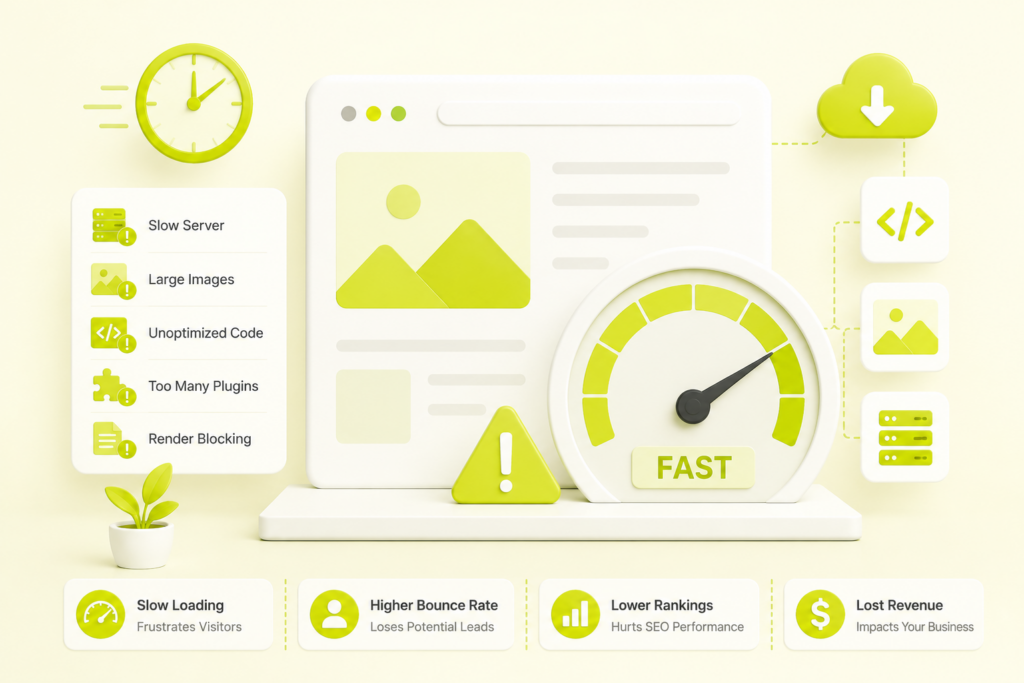
Quick answer: A website is usually slow for one of eleven reasons — a slow server or high TTFB, oversized images, render-blocking CSS and JavaScript, too many third-party scripts, no caching, no CDN, bloated code and plugins, unoptimized fonts, heavy database queries, missing image dimensions, or a cheap shared hosting plan. Most slowness traces back to how much the browser has to download and how much work it has to do before the page becomes usable. The fix is almost always a combination of lighter assets, smarter delivery, and less blocking code — and it’s measurable against Google’s Core Web Vitals thresholds: LCP under 2.5 seconds, INP under 200 milliseconds, and CLS under 0.1.
Site speed isn’t a vanity metric — it’s money. Google’s research shows that as page load time rises from one second to three seconds, the probability that a visitor bounces jumps by 32%, and at five seconds it rises by 90%. Akamai’s data puts a price on it: every additional second of delay cuts conversions by roughly 7%. Amazon famously found that just 100 milliseconds of extra latency cost it 1% of sales. Yet across the web, only around a third of the top 100 sites pass Core Web Vitals — meaning speed is both a widespread problem and a real competitive opening.
If your site feels sluggish, here’s what’s actually causing it and how to fix each cause in priority order.
What counts as a "slow" website in 2026?
A website is considered slow when it fails Google’s Core Web Vitals — specifically when the largest content takes longer than 2.5 seconds to appear, interactions lag beyond 200 milliseconds, or the layout visibly shifts as it loads. Google measures this using the experience of real visitors at the 75th percentile over a rolling 28-day window, not a single lab test on a fast connection.
In plain terms: if a quarter or more of your visitors wait more than 2.5 seconds to see your main content, your site is slow by the standard that affects both your users and your rankings. Consumer expectations back this up — surveys consistently show roughly half of users expect a page to load in two seconds or less, and 53% of mobile visitors abandon a page that takes longer than three seconds.
The Core Web Vitals thresholds to aim for
| Metric | What it measures | Good | Needs improvement | Poor |
|---|---|---|---|---|
| LCP (Largest Contentful Paint) | Loading speed | ≤ 2.5s | 2.5s–4.0s | > 4.0s |
| NP (Interaction to Next Paint) | Responsiveness | ≤ 200ms | 200ms–500ms | > 500ms |
| CLS (Cumulative Layout Shift) | Visual stability | ≤ 0.10 | .1–0.25 | > 0.25 |
INP replaced First Input Delay as the official responsiveness metric in March 2024, and it’s now the hardest of the three to pass — an estimated 43% of sites still fail it, because it depends on JavaScript architecture rather than a simple image or server tweak.
Why is my website slow? The 11 most common causes
1. A slow server and high TTFB
Time to First Byte (TTFB) is how long your server takes to send the first piece of the page. If your hosting is underpowered or overloaded, everything downstream waits. This is the single most common root cause on cheap shared hosting, where your site competes with hundreds of others for the same resources.
2. Oversized, unoptimized images
Images are the heaviest thing on most pages. A single uncompressed hero image can be several megabytes on its own. Serving images in modern formats (WebP or AVIF), compressing them, and sizing them correctly for the device is one of the highest-impact speed fixes available — and it directly improves your LCP.
3. Render-blocking CSS and JavaScript
When CSS and JavaScript load in the wrong order, the browser has to stop and process them before it can show anything. These “render-blocking resources” delay the moment your page becomes visible. Inlining critical CSS and deferring non-essential scripts removes the roadblock.
4. Too many third-party scripts
Chat widgets, analytics tags, ad pixels, heatmap trackers, and social embeds each add weight and often run on the main thread — the same thread that responds to clicks and taps. Stacked together, they’re a leading cause of poor INP and sluggish, unresponsive interactions.
5. No browser or page caching
Without caching, your server rebuilds the same page from scratch for every visitor. Caching stores a ready-made version so repeat visits and repeated elements load almost instantly. On WordPress and similar platforms, this is often the fastest single win.
6. No content delivery network (CDN)
If your server sits in one country and your visitors are spread across the world, every request travels a long way. A CDN stores copies of your site on servers close to your users, cutting latency and speeding up delivery globally.
7. Bloated code and too many plugins
Every plugin, theme feature, and line of unused code adds weight and requests. Page builders and “all-in-one” themes are frequent culprits, loading scripts and styles for features you don’t even use. Lean sites are fast sites.
8. Unoptimized web fonts
Custom fonts are beautiful and expensive. Loading multiple font families and weights, or letting text stay invisible while fonts download, hurts both perceived speed and layout stability. Preloading key fonts and using font-display: swap fixes it.
9. Heavy or unindexed database queries
On dynamic sites, slow database queries — bloated with post revisions, spam comments, and expired transients — drag down server response times. Regular database cleanup and query optimization keep the back end responsive.
10. Missing image and element dimensions
When images, videos, ads, or embeds load without declared width and height, the page content jumps around as they appear. That’s Cumulative Layout Shift, and beyond being annoying, it fails a Core Web Vital. Setting explicit dimensions and reserving space for dynamic content eliminates it.
11. The wrong hosting plan for your traffic
A budget shared plan is fine for a brochure site with light traffic, but it will buckle under an active e-commerce store or a content site with real volume. Outgrowing your hosting is a common and easily missed cause of creeping slowness.
How do I find out why my website is slow?
Diagnose before you fix. Run your site through these free tools to pinpoint the actual bottleneck rather than guessing:
- Google PageSpeed Insights — gives you both lab data and real-user field data, plus prioritized suggestions tied to LCP, INP, and CLS.
- Google Search Console → Core Web Vitals report — shows which page groups are failing across your whole site, using real visitor data.
- Chrome DevTools (Performance and Network tabs) — reveals exactly which resources block rendering and which scripts hog the main thread.
One important expectation to set: field data updates on a roughly 28-day cycle, so after you deploy a fix, Search Console won’t reflect it instantly. Lab tools show the improvement immediately; the ranking-relevant field data catches up over the following weeks.
How to fix a slow website (in priority order)
Fix the causes with the biggest payoff first:
- Right-size your hosting and reduce TTFB. A quality host or a move off overloaded shared hosting fixes problems no amount of front-end tuning can.
- Compress and modernize images. Convert to WebP/AVIF, compress, and preload your largest above-the-fold image with
fetchpriority="high". - Add caching and a CDN. Together these often produce the largest visible speed jump for the least effort.
- Eliminate render-blocking resources. Inline critical CSS, defer non-critical JS, and load third-party scripts asynchronously.
- Audit your scripts and plugins. Remove anything you don’t actively need; every deletion is pure speed gained.
- Set explicit dimensions everywhere. Fix CLS by reserving space for every image, embed, and ad slot.
- Tackle INP last and deepest. Break up long JavaScript tasks, defer non-critical work, and simplify the DOM so interactions stay under 200ms.
Some of these are quick wins; others touch hosting, theme architecture, and code, and are easy to get wrong in ways that quietly break something else. If you’d rather have it diagnosed and fixed properly the first time, our technical SEO services are built exactly for this — crawlability, Core Web Vitals, and the delivery-chain fixes that turn a red Search Console report green.
Does website speed actually affect Google rankings?
Yes. Core Web Vitals have been a confirmed Google ranking signal since 2021, and speed remains one of the page-experience factors Google uses. It won’t override genuinely better content, but in competitive results where several pages are equally relevant, speed becomes the tiebreaker that decides who ranks above whom.
The compounding effect is what makes it matter: a slow page ranks lower, and the visitors who do arrive bounce faster and convert less — a double loss. This is why speed is inseparable from the rest of your search strategy, and part of why we argue that SEO is far from dead in 2026 — the fundamentals like performance matter more than ever. A strong foundation of professional SEO treats speed as core infrastructure, not an afterthought.
Slow pages also quietly sabotage lead generation. If your forms and offers sit behind a sluggish load, visitors leave before they ever see them — one of the reasons we cover in our breakdown of why websites fail to generate leads.
Frequently asked questions
Why is my website so slow all of a sudden?
Sudden slowness usually points to a recent change: a newly installed plugin or script, a traffic spike overwhelming your hosting, a large unoptimized image added to a popular page, or a third-party service (like an ad network or chat widget) degrading. Check what changed right before the slowdown, and review your hosting resource usage.
What is a good website loading speed?
Aim for your largest content to appear within 2.5 seconds (LCP), interactions to respond within 200 milliseconds (INP), and no visible layout shifting (CLS under 0.1), measured on real visitors at the 75th percentile. For e-commerce, faster is better still — conversion rates climb sharply below two seconds.
How much does a slow website cost my business?
Measurably. Roughly 53% of mobile users abandon a site that takes over three seconds to load, and conversions fall about 7% for every additional second of delay. Google and Deloitte’s research found that even a 0.1-second speed improvement lifted retail conversions by around 8% and travel conversions by around 10%.
Can I fix a slow website myself?
Some causes — enabling caching, compressing images, removing unused plugins — are genuinely DIY-friendly. Others, like reducing TTFB, restructuring JavaScript for INP, and eliminating render-blocking resources, usually need technical expertise to fix without breaking functionality.
How long until speed fixes improve my rankings?
Lab tools show improvement immediately after a fix, but Google’s ranking-relevant field data updates on a roughly 28-day rolling window, so expect ranking effects to appear over the following weeks rather than overnight.
Turn a slow website into a fast one
A slow website is one of the most fixable problems in digital marketing — and one of the most profitable to solve, because it improves rankings, user experience, and conversions all at once. The key is diagnosing the real bottleneck instead of guessing at fixes.
That’s where we come in. Get a free website audit and we’ll measure your Core Web Vitals, pinpoint exactly what’s slowing you down, and hand you a prioritized plan to fix it. Ready to move faster? Talk to our team and we’ll take it from there.

Riya Bhardwaj
Leading content and growth initiatives with a focus on search visibility, audience engagement, and measurable business outcomes. Specialised in SEO, Generative Engine Optimization (GEO), AI search optimisation, and performance-driven content marketing. Passionate about transforming market insights into scalable content strategies that strengthen brand authority and drive sustainable digital growth.