
If you manage Google Search campaigns, there is a good chance AI Max has already touched your account. Google announced in April 2026 that Dynamic Search Ads, Automatically Created Assets and campaign-level broad match settings are being folded into AI Max, with automatic upgrades beginning in September. For some advertisers that is a welcome productivity boost. For others it is the moment a carefully controlled account starts matching queries nobody planned for and sending traffic to pages nobody chose.
This guide explains what AI Max for Search actually is, what each of its three features does, what the migration means for your campaigns, and how to keep control of brand, budget and landing pages. You will also find a setup checklist, a way to run a fair experiment, and a 30-day audit plan you can follow after the switch. Whether you are a PPC specialist, an in-house marketer or a founder who simply wants to know why Google Ads looks different this month, the goal is the same: use the automation without handing over the steering wheel.
Quick answer: AI Max for Search is a bundle of features inside your existing Search campaigns, not a separate campaign type. It combines search term matching that goes beyond your keywords, AI-generated text customisation and final URL expansion that picks landing pages automatically. Google is migrating Dynamic Search Ads, Automatically Created Assets and campaign-level broad match settings to it, with automatic upgrades starting in September 2026 and DSA following in February 2027. To stay in control, set brand and location controls, exclude irrelevant URLs, add text guidelines, check the search terms report weekly, and test with a 50/50 experiment before relying on it.
What is AI Max for Search?
AI Max for Search is Google’s name for a set of AI-powered features that you can switch on inside a standard Search campaign. It is not a new campaign type like Performance Max, and you do not rebuild your account to use it. Google describes it as a way to reach more of the searches that matter to your business by looking at intent, not only at the keywords you typed in.
Google first announced it at Google Marketing Live in May 2025 and rolled it out to advertisers over the following months. In 2026 it has moved from optional feature to the centre of Google’s Search strategy. Google says it is already surfacing billions of searches advertisers did not previously reach, and it is now the destination for several older automation tools.
Why should you care even if you like manual control? Because the way people search is changing. Queries are longer and more conversational, driven in part by AI Overviews and AI Mode. A keyword list built in 2022 cannot anticipate a 40-word question typed to an AI assistant. AI Max is Google’s answer to that gap, and it is also the route into ads inside AI-generated responses, which we cover later in this guide.
The three features inside AI Max
1. Search term matching
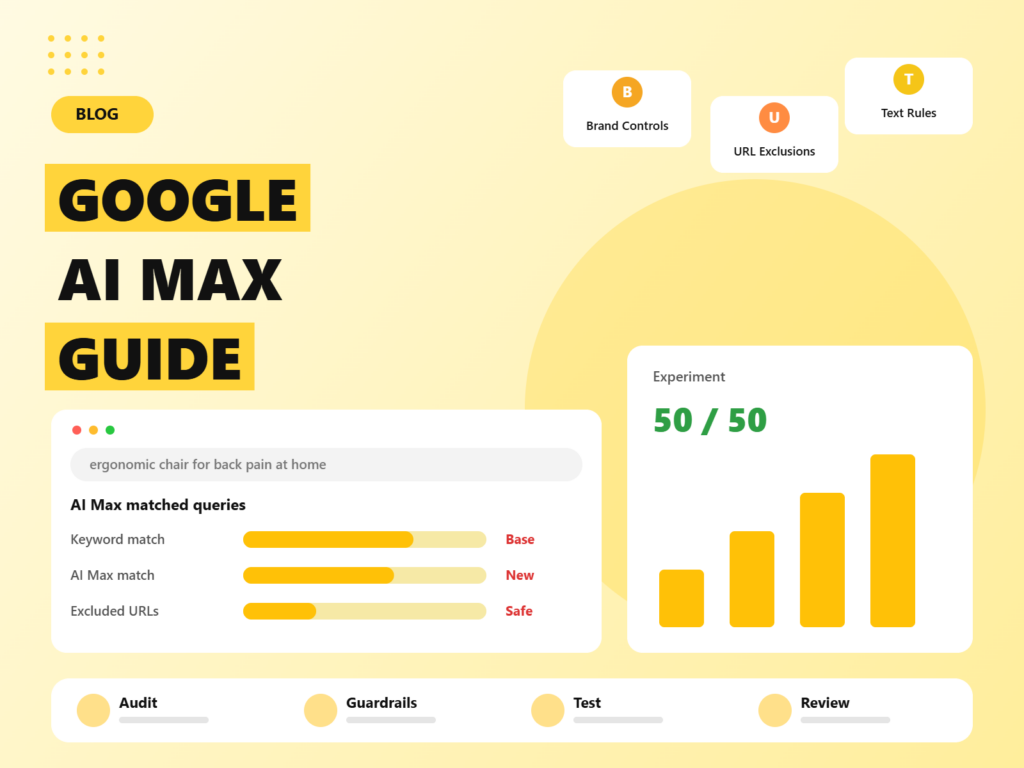
This feature extends your keyword targeting. It combines an enhanced version of broad match with what Google calls keywordless technology, which looks at your landing pages, your assets and your existing keywords to predict searches likely to convert, even if no keyword matches them exactly. If you sell “ergonomic office chairs”, it may serve your ad for a long query about back pain while working from home, because it judges the intent to be a fit.
You can think of it as a smarter, wider net. The upside is reach and discovery of new queries. The risk is relevance drift, particularly if your conversion tracking is weak or your landing pages are vague.
2. Text customisation
Text customisation generates headlines and descriptions on the fly, using your website content, your existing ad assets and the query itself. It replaces the older Automatically Created Assets setting. The benefit is ads that echo the user’s language. The risk is copy you did not write and may not have approved, which matters for regulated industries, trademarks and brand tone.
3. Final URL expansion
Final URL expansion lets Google choose a more relevant landing page than the one you set, based on the query. A search for a specific product size might land on a deep product page instead of the category page. This is the feature that most often surprises advertisers, because it can send traffic to blog posts, help pages, old promotions or irrelevant locations unless you exclude them.
All three features can be toggled at campaign level, and Google provides additional controls, covered below. That modularity is useful: many advertisers start with search term matching and URL expansion switched on, and review text customisation separately.
What is changing in 2026: the auto-upgrade timeline
This is the part that makes the topic urgent. Google announced on 15 April 2026 that it is consolidating three older systems into AI Max. According to Google’s announcement and subsequent coverage, the timeline looks like this:
- Voluntary phase (spring and summer 2026): advertisers could upgrade on their own terms, with tools to carry over existing settings.
- 3 August 2026: new campaign-level broad match settings and legacy Automatically Created Assets configurations could no longer be created.
- September 2026: automatic upgrades begin for campaigns using Automatically Created Assets or campaign-level broad match. New Dynamic Search Ads campaigns can no longer be created.
- February 2027: automatic upgrades begin for Dynamic Search Ads campaigns, a later date than originally planned.
- September 2027: older API versions are retired, which matters if you use third-party tools or scripts.
Campaigns that use only exact and phrase match keywords, and do not use Automatically Created Assets, are not in scope for the forced upgrade. Google’s announcement does not describe an opt-out for affected campaigns, and several third-party analyses state plainly that there is none, so check the notices in your own account and treat the dates above as the working assumption. Because Google updates timelines and eligibility, always confirm the details in Google Ads before acting.
Google claims that using the full AI Max feature set delivers around 7 percent more conversions or conversion value at a similar cost per acquisition or return on ad spend, compared with using search term matching alone. Earlier Google figures cited around 14 percent more conversions for non-retail advertisers on average. These are Google’s own numbers, averaged across many accounts. Treat them as an upper-level expectation, not a promise for your account.
What the migration means for different account types
If you run Dynamic Search Ads
You have until February 2027 for the automatic switch, but new DSA campaigns cannot be created from September 2026. Use the DSA upgrade tool, which lets you port settings such as page feeds, URL targeting and exclusions into AI Max in a deliberate way. Doing it yourself is almost always better than letting the automatic process make assumptions.
If you use Automatically Created Assets
Your campaigns are in the September 2026 wave. If you have not reviewed what your account is generating, do so now. Open the asset reports and read the generated headlines as a customer and as a compliance officer would. Anything that makes a claim you cannot substantiate should be excluded through text guidelines.
If you rely on campaign-level broad match
Broad match at campaign level is being replaced by AI Max search term matching. The practical change is that matching is now informed by more signals, and you have more explicit controls. Check your negative keyword lists, since they carry on mattering.
If you only use exact and phrase match
You are not forced to move, but you may still want to test AI Max deliberately. Google has reported its strongest uplift among campaigns that previously relied on exact and phrase match, because those campaigns leave the most unreached demand on the table.
The controls you should set before anything else
AI Max is much easier to live with if you set boundaries first. The controls below are available in the campaign settings, and Google positions them as the way to keep brand safety and relevance in your hands.
- Brand controls: tell Google which brands to include or exclude. Use these to stop your ads appearing against competitor names you do not want to bid on, or to limit a campaign to your own brand terms.
- Location controls: decide whether you target people in your locations, or people who show interest in them, and tighten them if you only serve certain regions. Final URL expansion can otherwise send an out-of-area searcher to a location page you cannot service.
- URL exclusions: exclude pages that should never be a landing page, such as careers, support articles, press releases, old promotions and blog posts that do not convert. This is the single most useful guardrail for URL expansion.
- Text guidelines: give the AI rules for generated copy, including terms to avoid, claims not to make and brand-voice notes. Use these for regulated words, trademarks and anything legal has flagged.
- Negative keywords: campaign-level and account-level negatives continue to apply. Keep them current, and add new ones as you review search terms.
- Feature toggles: you can switch individual AI Max features on or off, which is handy for staged rollout.
A final point on control: bidding strategy matters as much as targeting. AI Max performs best with Smart Bidding strategies tied to real outcomes, such as Target CPA or Target ROAS, and with enough conversion volume to learn. Without that, the system optimises toward weaker signals.
How to read AI Max reporting
Transparency is one of the more helpful parts of the package. In the search terms report, queries matched through AI Max are labelled so you can separate them from traditional keyword matches. Use that to answer three questions each week:
- Is the new traffic relevant? Scan the AI Max queries for obvious mismatches and add negatives or text guidelines where needed.
- Is it converting? Compare conversion rate and cost per conversion for AI Max matched queries against keyword matches, not just account-level averages.
- Where is it landing? Review the landing pages report for unexpected URLs. Anything strange belongs on the exclusion list.
Also review the asset report for text customisation to see which generated lines are being used. If you spot patterns that work, fold them into your own responsive search ad assets.
AI Max vs Performance Max vs Dynamic Search Ads
Advertisers often ask which automated option to use. They are related but not interchangeable:
- AI Max for Search lives inside Search campaigns. You keep your campaign structure, bidding, keywords and negatives, and layer AI features on top. It is the best choice when Search is your core channel and you want to keep keyword-level learning and reporting.
- Performance Max is a goal-based campaign type that serves across Search, Shopping, YouTube, Display, Discover, Gmail and Maps from one set of assets and signals. It offers the widest reach and the least granular control, and it suits advertisers with strong feeds and creative who want cross-channel automation.
- Dynamic Search Ads matched queries to your site content without keywords. That function is now being absorbed by AI Max, so treat DSA as a legacy tool and plan your migration.
In practice, many accounts will run all of the above: standard Search with AI Max for coverage, Performance Max for feed-driven ecommerce, and tightly controlled exact match campaigns for brand and top converting terms. The key is to prevent them from competing for the same queries. Use brand exclusions, keep branded terms in a dedicated campaign, and check the search terms reports for overlap.
Budget and bidding tips for AI Max
- Expect budget to move faster. Broader matching can spend a daily budget earlier in the day. Monitor pacing and use shared budgets carefully.
- Keep targets realistic. If you set an aggressive Target CPA, the system may throttle volume. Raise targets gradually rather than slashing them.
- Separate brand from non-brand. Mixed campaigns inflate results because brand queries convert cheaply. Keep them apart so you can see what AI Max really adds.
- Do not change everything at once. During an experiment, hold creative, budget and bidding steady so differences can be traced to AI Max.
- Watch seasonality. Run tests outside major sales events where possible, or compare against the same period in the prior year.
AI Max and ads inside AI Mode and AI Overviews
AI Max is not only a way to widen traditional search. It is also the doorway to advertising inside Google’s AI surfaces. At Google Marketing Live in May 2026, Google said ads in AI Mode are available through AI Max and Performance Max campaigns, with ads appearing in or alongside AI-generated responses, clearly labelled as sponsored. According to coverage of the event, Google is testing several conversational formats in the United States:
- Conversational Discovery ads, which use Gemini to tailor the ad to the conversation and highlight relevant product or service features.
- Highlighted Answers, which place ads inside AI-generated recommendation lists.
- AI-powered Shopping ads, aimed at considered purchases, expected to roll out later in 2026.
- Business Agent for Leads, an AI chat experience inside lead generation ads, in open beta for US advertisers.
Availability varies by market, and Google has indicated broader expansion over time, so check what is live for your country. The practical takeaway is that the quality of your landing pages, product data and assets now influences whether you show in conversational contexts. For a deeper look at how Google is thinking about this, read our article on Google’s approach to AI search ads and qualified future conversions, and see how it compares with OpenAI’s approach in our guide to ChatGPT ads versus Google Ads.
Is your account ready for AI Max? A checklist
- Accurate conversion tracking. Use enhanced conversions and import offline outcomes, such as qualified leads or closed deals, if you generate leads. Without good signals, automation learns from noise.
- Smart Bidding in place. Target CPA or Target ROAS with enough conversion volume. A common guideline among practitioners is dozens of conversions a month per campaign, and more is better.
- Relevant, well-structured landing pages. The system reads your site. Thin, duplicated or outdated pages will be used against you.
- A clean negative keyword and exclusion setup. Start with what you already know you do not want.
- Brand and compliance rules documented. Know which claims, competitor names and phrases are off limits.
- A baseline. Record the last 60 to 90 days of performance by campaign so you can judge change fairly.
- Landing page speed and health. Because AI Max may send traffic to more pages, slow or broken ones cost money. Our free website analysis is a quick way to find them.
How to set up and migrate to AI Max, step by step
Step 1: Audit which campaigns are affected
List every Search campaign and note whether it uses Dynamic Search Ads, Automatically Created Assets or campaign-level broad match. Mark exact and phrase-only campaigns separately. This tells you which campaigns face a forced change and which are free to test.
Step 2: Clean your inputs
Update landing page content, refresh your headline and description assets, and remove outdated pages from your site map or exclude them in Google Ads. AI Max amplifies what it finds, good and bad.
Step 3: Set the guardrails
Configure brand controls, location controls, URL exclusions and text guidelines before enabling or accepting the upgrade. Add your known negatives.
Step 4: Use the upgrade tools where available
For DSA and Automatically Created Assets, use Google’s upgrade flow to bring your existing settings across, so the new setup reflects decisions you already made instead of defaults.
Step 5: Start with a controlled experiment
Run AI Max as a 50/50 campaign experiment against your current setup where you can. Keep the budget, bidding and creative otherwise identical. Run it long enough to gather meaningful conversion data, typically four to six weeks, or longer for low-volume accounts.
Step 6: Review in the first two weeks
After any migration, review generated headlines, search terms and landing pages within the first two weeks. Fix problems early, because automated systems learn from what they are allowed to do.
Step 7: Decide and document
Compare experiment results on cost per qualified conversion, not clicks. Roll out where AI Max wins, keep manual structures where it does not, and write down why.
Where AI Max tends to work, and where it struggles
Based on Google’s claims and practitioner reports, results vary widely, so treat the following as hypotheses to test.
- Ecommerce with good product data: often a strong fit, because the system can match long, specific queries to the right pages and the feed supplies rich information.
- Lead generation: riskier unless you import offline conversion data. Without it, the system may optimise toward cheap form fills that never become customers.
- Local and multi-location businesses: good if location controls are tight, risky if URL expansion sends people to the wrong branch.
- B2B with long sales cycles: promising for discovering niche queries, but needs qualified-lead signals and careful brand controls.
- Regulated industries: proceed carefully and lean on text guidelines and approvals, since generated copy must still comply.
Several agencies have also reported mixed or negative results in early tests, particularly where tracking was weak or budgets were small. The lesson is not that AI Max is bad, but that it exposes the quality of your inputs. A well-run account tends to benefit; a poorly instrumented one tends to waste money faster.
Common mistakes to avoid
- Accepting the automatic upgrade without reviewing it. Defaults are designed for Google’s average advertiser, not for you.
- Skipping URL exclusions. Sending paid traffic to support pages and blog posts is the most common avoidable waste.
- Optimising to the wrong conversion. If “page view” or “contact click” counts as a conversion, expect junk.
- Judging results in a week. Smart Bidding and matching need time and volume.
- Comparing against the wrong baseline. Compare AI Max matched queries with keyword matched queries, and run proper experiments.
- Forgetting brand safety. Review generated text and brand exclusions regularly.
- Ignoring the landing page experience. Better matching only helps if the page converts.
A 30-day post-migration audit calendar
Week 1: confirm which campaigns migrated, record baseline metrics, review generated assets for compliance, check the landing pages report for unexpected URLs, and add exclusions.
Week 2: review the search terms report for AI Max matched queries, add negatives, and compare conversion rate against keyword matches. Check budget pacing, because broader matching can use budget faster.
Week 3: evaluate performance by campaign type and device. Look at new-customer share where available, and check lead quality with your sales team if you generate leads.
Week 4: decide what to scale, tighten or revert. Update text guidelines and exclusions based on what you saw, and schedule a monthly review going forward.
The bigger picture: automation rewards good inputs
AI Max is a clear signal of where paid search is going: fewer manual levers, more reliance on your data, your pages and your creative. The advertisers who benefit are not necessarily those who trust automation most, but those who feed it well and put boundaries around it. That means accurate conversion data, clear brand rules, strong landing pages and a habit of reviewing what the system actually did.
If you would like help auditing your account before or after the switch, our PPC management team can review your campaigns, set the guardrails and design the experiment. And because paid and organic now influence each other in AI surfaces, our AI SEO services help make sure the pages Google reads are worth reading.
Frequently asked questions
What is AI Max for Search?
AI Max for Search is a set of AI features you can enable in Google Search campaigns. It combines search term matching beyond your keywords, text customisation that generates headlines and descriptions, and final URL expansion that chooses landing pages. It is not a separate campaign type.
Is Google forcing advertisers to move to AI Max?
Can I control where AI Max sends traffic?
How do I test AI Max safely?
Does AI Max work for lead generation?
How does AI Max relate to ads in AI Mode?
We audit your Google Ads setup, set the guardrails, and run a clean experiment so you know whether AI Max earns its budget.

Riya Bhardwaj
Leading content and growth initiatives with a focus on search visibility, audience engagement, and measurable business outcomes. Specialised in SEO, Generative Engine Optimization (GEO), AI search optimisation, and performance-driven content marketing. Passionate about transforming market insights into scalable content strategies that strengthen brand authority and drive sustainable digital growth.