
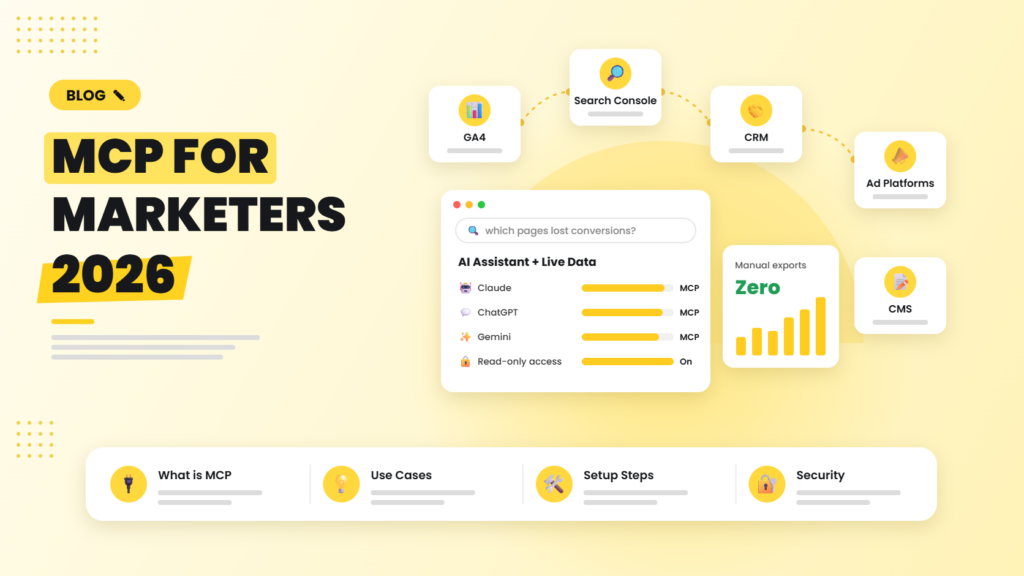
Until recently, using AI for marketing analysis meant exporting a CSV, pasting it into a chat window and hoping the numbers were right. The Model Context Protocol (MCP) changes that. It lets AI assistants connect directly and securely to your tools, so you can ask “Which landing pages lost organic conversions last month, and why?” and get an answer built on live GA4 and Search Console data.
Quick answer: MCP (Model Context Protocol) is an open standard that lets AI assistants like Claude, ChatGPT and Gemini connect to external tools and data through “MCP servers”. For marketers, that means an AI assistant can query GA4, Search Console, ad platforms, your CRM or your CMS directly, analyse the data and even take actions, without manual exports. Start with read-only access, one or two data sources and clear permissions.
What is MCP, in plain English?
The Model Context Protocol is an open standard, first introduced by Anthropic in late 2024 and now supported across the major AI platforms and many developer tools. Think of it as a universal adapter: instead of every AI tool building a custom integration for every app, an app exposes an MCP server once, and any MCP-compatible AI assistant can use it.
An MCP server can expose three kinds of things to an AI:
- Tools: actions the AI can take, such as “run a GA4 report” or “create a HubSpot contact”.
- Resources: data the AI can read, such as a Search Console property or a product feed.
- Prompts: reusable instructions, such as a standard weekly SEO review.
Why marketers should care
MCP turns an AI chat assistant into something closer to a junior analyst with access to your systems. Practical uses include:
- Analytics Q&A: ask questions of GA4 in natural language and get charts and explanations.
- SEO analysis: pull Search Console queries, spot striking-distance keywords and draft title tag improvements.
- Campaign reporting: combine ad platform spend with CRM revenue in one conversation.
- Content operations: read a brief from your project tool, draft in your CMS as a draft, and notify the editor.
- Lead handling: summarise new CRM leads each morning and suggest follow-up priorities.
Which marketing tools have MCP servers?
The ecosystem is growing fast. Google has published an open-source MCP server for Google Analytics, and official or community MCP servers exist for Search Console, Google Ads, HubSpot, Salesforce, Notion, Slack, WordPress, Shopify and many SEO data providers. Many AI apps also offer ready-made “connectors” built on MCP, so you can add them with a few clicks instead of running a server yourself.
Always prefer official servers or well-maintained, reviewed ones, because an MCP server has real access to your data.
How to get started: a simple setup
- Pick one use case. For example, “weekly organic performance review” using GA4 and Search Console.
- Choose your AI client. Claude, ChatGPT, Gemini and several IDEs and agent platforms support MCP servers or connectors.
- Connect with read-only access first. Use a dedicated Google service account or user with Viewer permissions only.
- Write a reusable prompt. Define the date ranges, metrics and output format you want every week.
- Verify the numbers. Compare the AI’s answers with the native GA4 and Search Console reports for the first few weeks.
- Expand gradually. Add the CRM, ad platforms or CMS once the first workflow is trusted.
Security and governance: do not skip this
- Least privilege: give the AI only the permissions each workflow needs. Read-only is the default.
- Human approval for actions: anything that sends emails, changes bids, publishes content or edits the CRM should require confirmation.
- Beware prompt injection: content an AI reads, such as web pages or form submissions, can contain hidden instructions. Keep write actions gated.
- Client data: agencies should keep separate credentials per client and check data-processing terms.
- Audit logs: keep a record of which tools the AI called and when.
MCP vs traditional automation
MCP does not replace tools like n8n or Zapier. Scheduled, repeatable workflows, such as daily reports, still belong in automation platforms. MCP shines for ad-hoc questions and exploratory analysis, where you do not know in advance what you will ask. Many teams now use both, and n8n itself can act as an MCP client or server. See our n8n vs Zapier vs Make comparison for the workflow side.
Frequently asked questions
What does MCP stand for?
MCP stands for Model Context Protocol, an open standard that lets AI assistants connect to external tools, data sources and services through MCP servers.
Can ChatGPT and Claude connect to Google Analytics?
Yes. Using MCP servers or built-in connectors, AI assistants such as Claude and ChatGPT can query GA4 data directly, provided you grant access with a Google account or service account.
Is MCP safe for client data?
It can be, with the right setup: read-only permissions, trusted servers, separate credentials per client, human approval for any write actions and awareness of prompt injection risks.
Do I need a developer to set up MCP?
Not always. Many AI apps offer one-click connectors built on MCP. Self-hosting a custom MCP server or connecting internal tools usually needs some technical help.
Will MCP replace marketing dashboards?
Not entirely. Dashboards remain useful for shared, at-a-glance monitoring. MCP adds a conversational layer for deeper questions and faster analysis on top of the same data.
We connect AI assistants to your analytics, SEO and CRM data with secure MCP setups, then build the prompts and workflows your team will actually use.

Riya Bhardwaj
Leading content and growth initiatives with a focus on search visibility, audience engagement, and measurable business outcomes. Specialised in SEO, Generative Engine Optimization (GEO), AI search optimisation, and performance-driven content marketing. Passionate about transforming market insights into scalable content strategies that strengthen brand authority and drive sustainable digital growth.