

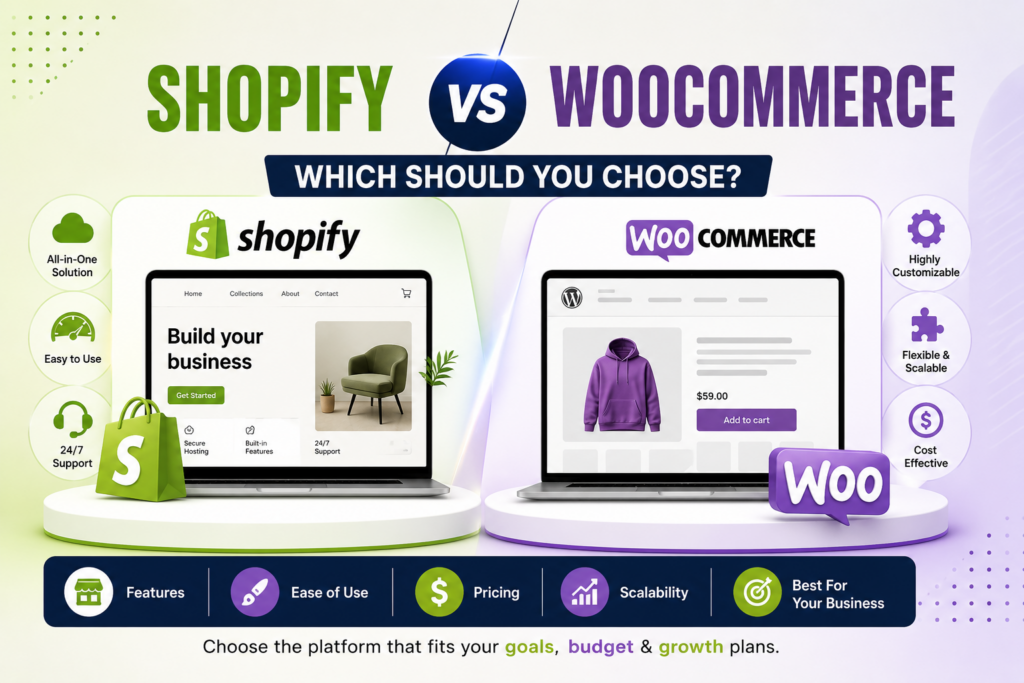
One is a managed all-in-one you rent; the other is an open-source platform you own and run. Pick wrong and you face a costly migration later. Here’s the honest 2026 comparison — real numbers, no bias toward whatever’s easiest to sell.
Quick answer
Shopify vs WooCommerce comes down to renting versus owning. Shopify is a hosted all-in-one platform with a monthly plan and an extra transaction fee if you skip Shopify Payments. WooCommerce is a free, open-source WordPress plugin with no platform fee, but you pay for hosting and upkeep. Pick Shopify for speed, WooCommerce for control.
Choosing between Shopify and WooCommerce is one of the most consequential decisions an ecommerce business makes — get it wrong and reversing it means months of migration and real developer cost. The good news: both are excellent. This isn’t about a winner; it’s about a trade. Let’s make the trade clear.
The core difference
Everything else flows from one distinction. Shopify is fully hosted — you rent a managed, all-in-one commerce platform and Shopify runs the infrastructure. WooCommerce is self-hosted and open-source — a free plugin on WordPress where you own and control every layer, and are responsible for every layer too. Shopify trades control for convenience. WooCommerce trades convenience for control. Almost every difference below is a downstream consequence of that.
At a glance
| Factor | Shopify | WooCommerce |
|---|---|---|
| Type | Hosted, all-in-one SaaS | Self-hosted WordPress plugin |
| Ease of use | Very easy; no server to manage | Steeper; needs setup & upkeep |
| Pricing model | Predictable monthly plan | Free plugin + variable costs |
| Transaction fees | Extra fee on 3rd-party gateways, by plan (not charged on Shopify Payments) | None (only your gateway's rate) |
| Hosting & security | Handled for you | Your responsibility |
| Customization | Within platform limits | Virtually unlimited |
| SEO / content | Solid; fixed URLs, basic blog | Stronger; full URL & CMS control |
| Scalability | Auto-scales; hands-off | Depends on your hosting |
| Ownership | You operate within Shopify | You own the whole stack |
| Best for | Fast, hands-off selling | Control, content, ownership |
Cost — the honest breakdown
Both platforms’ headline prices mislead. Here’s the real picture:
Shopify sells its plans in tiers: Basic, Grow, Advanced and Plus. On Shopify’s India pricing page (read on 12 October 2026), the yearly-billed prices were ₹1,499/month for Basic, ₹5,599 for Grow, ₹22,680 for Advanced and from ₹1,75,000 for Plus. Shopify shows prices in your local currency, so check the current price on the official site for your country. Hosting, an SSL certificate and PCI compliance come with the plan, which is genuinely convenient. But the subscription is rarely the biggest line item. If you use a payment provider other than Shopify Payments, Shopify adds a third-party transaction fee that depends on your plan. On that India page the rates were 2% on Basic, 1% on Grow, 0.6% on Advanced and 0.2% on Plus. At 2%, a store selling $50,000 a month through a third-party gateway pays about $1,000 a month in platform fees alone. Rates can differ by region, so confirm yours.
WooCommerce the plugin is free and has no platform transaction fee; you pay your payment provider’s normal rate. The real costs sit elsewhere: hosting, a theme, extensions, and developer or maintenance time if you don’t do the work yourself. Those vary widely by host and vendor, so there isn’t one honest number to quote. WooCommerce publishes a list of recommended hosts, and each host posts its own plans, so check the current price on the official sites before you budget.
The most expensive platform isn’t the one with a monthly fee — it’s the one that doesn’t fit how you actually operate.
The pattern: at low volume, Shopify is often cheaper once you value the hosting and upkeep you’d otherwise handle. At high volume, WooCommerce can win because it avoids per-sale platform fees that compound — but only if you (or someone) can manage the technical side. Compare the three-year total cost at your real revenue, not the month-one price. For the wider build-cost picture, see the cost of building a website in India.
Ease of use
This is the widest gap. Shopify gets a store live quickly with guided onboarding, a polished admin, and no server management — a non-technical owner can run it without a developer. WooCommerce needs WordPress hosting setup, plugin configuration, and ongoing maintenance, often adding many hours upfront and continuous upkeep after. If nobody on your team can safely maintain WordPress, WooCommerce’s lower plugin cost can evaporate quickly in developer bills.
SEO & content
WooCommerce has the edge for organic-growth businesses. Running on WordPress gives you full control over URL structure and the strongest content/blogging system available — a real advantage if content marketing drives your revenue. Shopify handles SEO fundamentals well, but its fixed URL structure and more basic blog remain constraints (the ones we cover in the Shopify SEO guide and checklist). For a straightforward catalog with little content strategy, the difference is minor; for a content-led brand, it compounds year over year in WooCommerce’s favor.
Scalability & performance
Shopify auto-scales — traffic spikes from a big drop or Black Friday are absorbed by its hosted infrastructure with no server work from you, which is a genuine “sleep factor” for founders. WooCommerce has no hard ceiling (huge stores run on it), but performance depends entirely on your hosting and optimization; growth means upgrading servers, tuning the database, and adding caching. Speed matters either way — the fixes are in Shopify speed optimization and why your website is slow.
Payments
WooCommerce supports all major gateways globally (Stripe, PayPal, and local options) with no platform fee on top. Shopify also works with third-party payment providers, but it adds its transaction fee on them unless you use Shopify Payments. According to Shopify’s help centre, Shop Pay and manual methods such as cash on delivery aren’t charged that fee.
Customization & ownership
WooCommerce is open-source: you own your site and data outright, and can customize essentially anything through thousands of WordPress plugins and full code access. Shopify is polished and consistent but you operate within its platform limits — deeper customization means higher tiers, apps, or Shopify Plus. If owning and controlling every layer matters to you, that’s WooCommerce; if you’d rather not think about the stack at all, that’s Shopify.
Which should you choose?
Choose Shopify if…
- You want to launch fast and sell, not manage tech
- You’re non-technical or have no developer
- You value predictable, all-in monthly pricing
- You want reliability at scale, hands-off
- You can use Shopify Payments (fee-free) in your market
Choose WooCommerce if…
- You want full control and ownership of your site/data
- Content marketing and SEO drive your growth
- You’re already on WordPress
- You have technical capacity (or a developer)
- You want to avoid platform transaction fees at scale
The honest verdict
Neither platform is universally better — they’re different trades, and the right one depends on your volume, your team, and how much you want to own. Shopify is the safer, faster choice for most first-time and non-technical merchants who want to focus on selling. WooCommerce rewards businesses with technical capacity, a content strategy, and an eye on long-term ownership and margins. The costliest mistake isn’t picking the “wrong” platform — it’s picking on hype (“WooCommerce is free!” / “Shopify is easy!”) without doing the total-cost math for your store. Whichever you choose, success still comes down to speed, findability, and conversion — the reasons stores fail and the fixes in Shopify conversion tips apply on both. Build it on a solid SEO foundation from day one.
WooCommerce vs Shopify: which is better for your store?
Neither wins on every count. Shopify is better if you want a hosted store that runs with little upkeep. WooCommerce is better if you want full control and no platform transaction fee, and you can manage hosting yourself or pay someone to. Match the platform to your team and your sales volume, not to the headline price.
Most WooCommerce vs Shopify pages end by naming a winner, and that’s the wrong frame. Three questions change the answer: who will run the store day to day, how much you’ll sell through which payment provider, and how much of your growth will come from content. This table maps common situations to a sensible starting pick.
| Your situation | Lean toward | Why |
|---|---|---|
| No developer, want to launch quickly | Shopify | Hosting, an SSL certificate and PCI compliance come with the plan, so there’s no server to manage. |
| You already run WordPress and publish a lot of content | WooCommerce | The store sits beside your blog and runs on the same stack you already know. |
| Most sales go through a third-party payment provider | Run the numbers | Shopify adds a transaction fee on third-party providers; WooCommerce adds none of its own. |
| You want a predictable monthly bill | Shopify | The plan fee is fixed, and hosting is included in it. |
| You need deep custom behaviour at checkout or in the code | WooCommerce | It’s open source, so you can change almost any layer. Shopify’s customizable checkout is listed on its Plus plan. |
| You sell in person as well as online | Either | Both offer point-of-sale options. Availability depends on your country, so check each vendor’s page. |
How much does Shopify take from a $100 sale?
It depends on your payment provider. If you use Shopify Payments, Shopify doesn’t add a third-party transaction fee, though Shopify Payments has its own processing rates that vary by country. With another provider, the fee depends on your plan: 2% on Basic on the India pricing page, so $2 on a $100 sale, plus that provider’s own processing fee.
Shopify’s help centre explains the mechanics. The fee is calculated on the order value after discounts, plus tax and shipping, multiplied by your plan’s rate. It sits on top of whatever your third-party provider charges, and it isn’t returned when you refund an order. It isn’t charged on Shop Pay, on manual methods such as cash on delivery, or on point-of-sale orders. You can read the details on Shopify’s third-party transaction fees page.
Here’s what the platform fee alone looks like on $10,000 of monthly sales that all go through a third-party gateway, using the rates shown on Shopify’s India pricing page on 12 October 2026. This is simple arithmetic on those rates, so confirm the rates for your country first.
| Shopify plan | Third-party fee rate | Platform fee on $10,000 |
|---|---|---|
| Basic | 2% | $200 |
| Grow | 1% | $100 |
| Advanced | 0.6% | $60 |
| Plus | 0.2% | $20 |
Two things the top results tend to skip. First, tax and shipping count toward the base, so the real fee is a little higher than the figure above. Second, a higher plan lowers the rate but raises the monthly fee, so the cheapest plan on paper isn’t always the cheapest in practice. WooCommerce has no equivalent platform fee, which is why high-volume stores that can’t use Shopify Payments often price WooCommerce first. If you do stay on Shopify, our Shopify conversion rate optimization services focus on getting more orders out of the traffic you already pay for.
What is the disadvantage of Shopify?
The main disadvantages are ongoing cost and less control. You pay a monthly plan, you pay an extra transaction fee if you use a third-party payment provider, and you customize inside Shopify’s limits rather than owning the whole stack. For many stores those trade-offs are worth the convenience, but you should price them in before you commit.
In practice, watch for these:
- The plan fee climbs with the tier. Features such as extra staff accounts, live third-party shipping rates and region-specific tailoring sit on higher plans, according to Shopify’s pricing page.
- The third-party fee. If your market or business type can’t use Shopify Payments, this fee applies to most of your sales.
- Customization has a ceiling. The fully customizable checkout is listed under Plus, the most expensive plan.
- You don’t own the infrastructure. That’s the point for many merchants, but it means you work inside Shopify’s rules and its roadmap.
WooCommerce has its own downsides, and they’re mostly about responsibility: updates, backups, security and performance are yours. We cover the Shopify side of the SEO trade-off in our Shopify SEO guide.
Is Shopify still worth it in 2026?
For most small and mid-sized stores that want a hosted, low-maintenance setup, yes. Shopify includes hosting, a free SSL certificate and Level 1 PCI DSS compliance in its plans. It’s less attractive if most of your sales go through a third-party gateway at high volume, or if you want full code-level ownership of the stack.
Here’s what Shopify’s own pricing page lists, as read on 12 October 2026. There are no setup fees on any plan. Hosting is included, with unlimited bandwidth and a free SSL certificate for domains you add. The plans mention selling online, in person and in AI chats, plus a built-in assistant called Sidekick. Higher plans add staff accounts and lower third-party fees, and Plus adds a customizable checkout, B2B catalogs and priority phone support. The India page also showed a trial offer of 3 days free, then ₹20 a month for 3 months. Offers change, so check the current terms on Shopify’s site.
The honest test isn’t “is Shopify good?” It is. The test is whether the fees and limits fit your numbers. Take your last three months of sales, work out how much would go through Shopify Payments and how much through other providers, and apply the rates for your plan. If the total looks fine, Shopify is worth it. If it looks heavy, price a WooCommerce setup next to it. Our guide to the best Shopify apps helps you plan the extras before you commit.
Which is better, Shopify or WordPress?
They’re not direct rivals. WordPress is a content management system, and WooCommerce is the plugin that turns it into a store. Shopify is a hosted store platform. When you compare Shopify with WordPress for selling, you’re really comparing Shopify with WordPress plus WooCommerce, plus the hosting and upkeep you add yourself.
That matters because it changes who does the work. With WordPress and WooCommerce you pick a host, install the software and keep it current. WooCommerce describes itself as an open-source commerce platform for WordPress, and on its homepage it reports more than 4 million online stores built with it and 31% of the top 1 million ecommerce sites, citing Store Leads. These are the vendor’s own figures, read on 12 October 2026, so treat them as a rough guide to popularity rather than a neutral count. It also cites W3Techs for WordPress running 43% of the internet.
Popularity doesn’t decide this one. If your growth depends on articles, guides and landing pages, WordPress is a strong base. If your growth depends on paid traffic and a tight checkout, Shopify’s all-in-one setup removes a lot of moving parts. Either way, a store that nobody can find won’t sell, which is where ecommerce SEO services come in.
What do you need to run WooCommerce?
WooCommerce’s documentation for version 10.8 and later lists WordPress 6.9 or newer, PHP 8.3 or newer, MySQL 8.0 or newer (or MariaDB 10.6 or newer), HTTPS and a WordPress memory limit of at least 256 MB. A good host usually covers this, but keeping versions current is your job.
Those requirements come from WooCommerce’s server recommendations page, which also warns that older PHP and MySQL versions have reached end of life and can expose your site to security problems. Here’s what else you take on:
- Hosting. WooCommerce’s hosting page recommends WordPress.com, Pressable, WordPress VIP, Bluehost, Hostinger, Seravo and SiteGround. Each host sets its own prices, so check the current price on their sites.
- Payments. WooPayments is free to install with no setup or monthly fees, and WooCommerce says it’s available in 38 countries and 135+ currencies. Check the supported-country list for your market, and remember you can use other gateways too.
- Maintenance. Updates, backups and security checks don’t happen on their own. Budget time or a retainer for them.
If you’d rather hand that work to a team, our web development services cover WooCommerce and Shopify builds, and the wider website development cost guide helps you set a budget.
WooCommerce or Shopify: how to decide in 30 minutes
Use this short checklist if you’re stuck between WooCommerce or Shopify, or Shopify or WooCommerce. It forces the decision onto your own numbers instead of a feature list.
- Estimate monthly sales for the next 12 months, and note how much will go through each payment provider.
- Name the person who’ll maintain the store. If the honest answer is “nobody”, lean toward Shopify.
- Check payment availability for your country on both vendors’ official pages before you fall for either price.
- Decide how much content matters. If articles and guides are your main traffic source, price a WordPress setup.
- Add up three years of cost for each: plan or hosting, fees, extensions or apps, and the time you or a developer spend.
- Pick one and commit. Switching later means moving products, customers, orders and URLs, so it’s cheaper to choose carefully now.
Last verified: 12 October 2026. Prices, rates and plan features come from the vendors’ own pages and change often, so check the official sites before you decide.
Frequently asked questions
What's the main difference between Shopify and WooCommerce?
Shopify is a hosted all-in-one platform: hosting, an SSL certificate and updates come with a monthly plan. WooCommerce is a free, open-source WordPress plugin that you host yourself, which gives you more control but makes you responsible for hosting, security and updates. Shopify trades control for convenience, and WooCommerce does the reverse.
Is Shopify or WooCommerce cheaper?
It depends on your sales volume and who does the technical work. Shopify costs a plan fee plus a transaction fee if you skip Shopify Payments. WooCommerce has no platform fee, but you pay for hosting, extensions and maintenance. Compare three-year totals using your own sales figures, not the headline price.
Which is better for SEO, WooCommerce or Shopify?
WooCommerce usually gives you more control because it runs on WordPress, with full control over content and URLs. Shopify handles the SEO basics well but uses fixed URL patterns and a simpler blog. For a store with no content plan the gap is small; for a content-led brand it can matter more.
Is WooCommerce or Shopify better for beginners?
Shopify is usually easier for beginners because hosting, an SSL certificate and PCI compliance come with the plan, so there’s no server to manage. WooCommerce suits beginners who already know WordPress or have a developer to handle hosting, updates and backups.
Can I switch from Shopify to WooCommerce, or the other way around?
Yes, but plan it. You need to move products, customers, orders, content and URLs, and set up redirects so you don’t lose rankings. Use a migration tool or a developer, test on a staging copy, and confirm your payment provider works on the new platform before you switch.
How much does Shopify take from a $100 sale?
With Shopify Payments, Shopify adds no third-party transaction fee, though Shopify Payments has its own processing rates. With another provider, the fee depends on your plan: the India pricing page shows 2% on Basic, or $2 on a $100 sale, plus your provider’s own fee. Check current rates on Shopify’s site.
What is the disadvantage of Shopify?
The main drawbacks are ongoing cost and less control. You pay a monthly plan, you pay an extra fee on third-party payment providers, and you customize inside Shopify’s limits. A fully customizable checkout is listed only on Plus. Many stores accept this trade for the convenience.
Is Shopify still worth it in 2026?
For most small and mid-sized stores that want a hosted, low-maintenance setup, yes. Hosting, a free SSL certificate and Level 1 PCI DSS compliance are included. It’s less attractive if most sales go through a third-party gateway at high volume. Test it against your own numbers.
Which is better, Shopify or WordPress?
They aren’t direct rivals. WordPress is a content management system, and WooCommerce is the plugin that turns it into a store, while Shopify is a hosted store platform. To sell, compare Shopify with WordPress plus WooCommerce, including the hosting and upkeep you handle yourself.
The right choice depends on your revenue, your team, and your growth plan — not on which platform markets harder. We build and optimize on both, and we’ll recommend the one with the lowest total cost of ownership for your situation. Get a free consultation.

Riya Bhardwaj
Leading content and growth initiatives with a focus on search visibility, audience engagement, and measurable business outcomes. Specialised in SEO, Generative Engine Optimization (GEO), AI search optimisation, and performance-driven content marketing. Passionate about transforming market insights into scalable content strategies that strengthen brand authority and drive sustainable digital growth.