

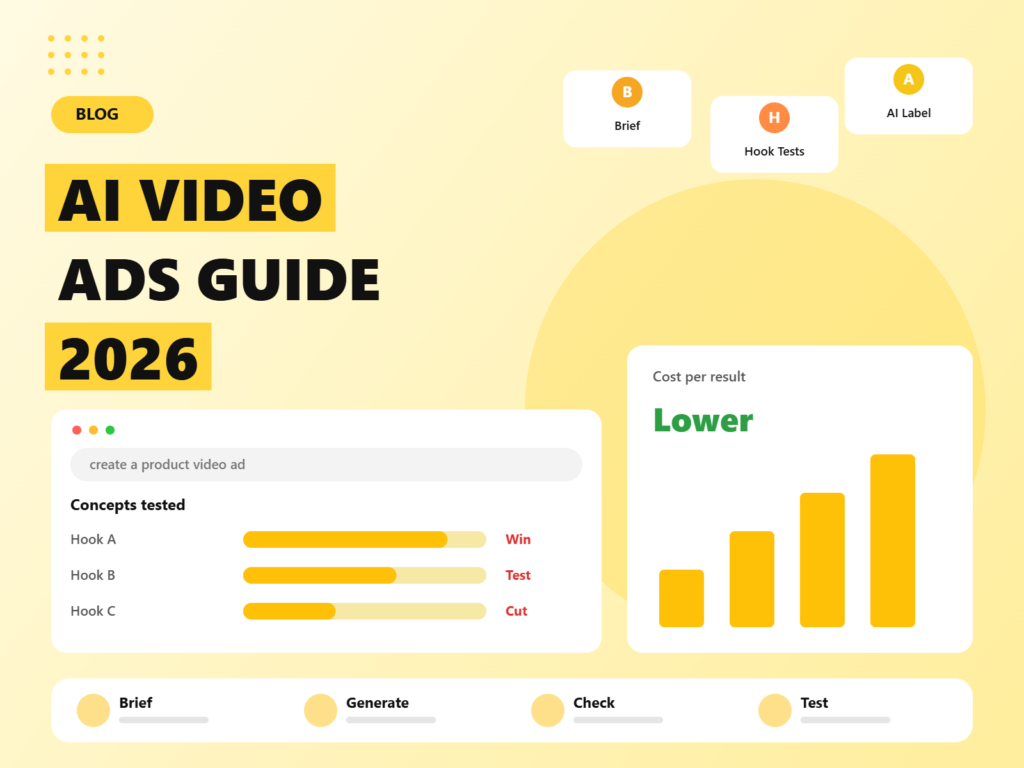
A year ago, an AI-generated video ad was a novelty that people shared to laugh at the glitches. Today it is a line item in many media plans. Google has built video generation into its ad creative tools, Meta offers image-to-video features for product photos, and a crowded field of standalone generators promises studio-looking clips from a text prompt. For performance marketers who feel permanently short of fresh creative, the appeal is obvious: more concepts, faster, at a fraction of the cost of a shoot.
The risks are just as real. Generated video can mislead, misrepresent a product, breach platform rules or simply look cheap. This guide shows how to use AI video ads sensibly in 2026: what the technology is good and bad at, a step-by-step workflow from brief to launch, how to write prompts that give usable clips, what the platforms require around labelling and disclosure, how to test AI creative against human-made ads, and how to avoid the mistakes that sink most first attempts.
Quick answer: AI video ads work best for concepting, hook testing, variations, localisation and abstract or atmospheric scenes, and worst for exact product demonstrations, regulated claims, testimonials and anything involving a real person’s likeness. Use a repeatable workflow: write a creative brief, generate short clips, edit and add captions in a normal video editor, check accuracy and policy, then test against human-made creative on the same budget. Platform rules on labelling vary and are changing quickly, so review the current policy for each platform and keep a record of how each ad was made.
Why AI video ads are everywhere in 2026
Three forces explain the surge.
- Creative is the bottleneck. On Meta, creative does much of the targeting work, as we explain in our guide to Meta Ads in 2026. Google’s automated campaigns also depend on a deep supply of assets. Advertisers who once refreshed creative monthly now need new material weekly.
- The tools are built into ad platforms. At Google Marketing Live 2026, Google highlighted an updated Asset Studio that brings together Gemini, Veo video generation and other models, with connections to tools such as Adobe, Canva and YouTube Studio, plus built-in A/B testing and an AI brief where advertisers set brand voice, audiences and guardrails in plain language. Meta has been adding generative features for ads, including image-to-video from product photos, background and text variations, music, dubbing and translation.
- Standalone generators have improved. Several video models now produce short clips that look convincing at phone size, and editing platforms have added AI features for resizing, captioning and voice.
The result is a new production model. Instead of commissioning one polished film, teams generate dozens of rough concepts, test them cheaply and invest in producing the winners properly.
What AI video is good at, and what it is not
Where it works
- Concepting and storyboards. Show a client or stakeholder what an idea could look like before paying for a shoot.
- Hook testing. Generate many different first three seconds, then keep the best.
- Atmospheric and abstract scenes. Lifestyle moods, product-adjacent visuals, metaphors for a benefit, and background footage.
- Variations of winning ads. New backgrounds, settings, colours or aspect ratios for a concept that already works.
- Localisation. Translating and dubbing a message into other languages, and adapting scenes to local settings.
- Service businesses with lower product-accuracy risk. Practitioners report fewer problems for categories such as home services than for fashion or skincare, where the look of the product matters.
Where it struggles
- Exact product demonstrations. Generated clips can change logos, proportions, ingredients or how a product works. If viewers can be misled, do not use it.
- Regulated or measurable claims. Health, finance, legal and before-and-after claims need real evidence, not generated imagery.
- Testimonials and reviews. A synthetic person saying “this changed my life” is a fake review in all but name. The rules that stop a human actor from inventing an experience also stop an AI avatar.
- Real people. Cloning someone’s face or voice without consent is a legal and ethical minefield.
- Text inside the video. Many generators still garble lettering. Add text, prices and logos in your editor.
- Consistency across scenes. Keeping a character, outfit or product identical from clip to clip takes effort and reference images.
The tool landscape, in categories
Specific products change monthly, so think in categories and check current terms before committing.
- Ad-platform tools. Google’s Asset Studio and Meta’s generative ad features sit inside the platforms you already use. They are convenient and aligned with ad policies, but offer less creative freedom.
- General video generation models. Services built on models such as Google’s Veo, Kling and Runway turn prompts and reference images into short clips. Strengths differ: some are cinematic, some fast and cheap for volume testing, some strong on editing control. Access, pricing and availability change often, so verify before planning a campaign around one.
- AI avatar and presenter tools. These create talking-head videos from a script. They suit explainers, training and product walkthroughs, and are risky for testimonials.
- Voice and music tools. Text-to-speech and voice cloning services create voice-overs and sound effects. Use only voices you have rights to.
- Editing and captioning tools. A normal video editor remains essential for trimming, captions, branding, safe zones and resizing.
Whatever you choose, read the licence. Check that outputs can be used commercially, whether the vendor claims any rights in them, how your uploaded assets are used, and whether any content credentials or watermarks are applied.
A step-by-step workflow for AI video ads
Step 1: Start with a creative brief, not a prompt
Write down the audience problem, the single message, the proof you can honestly show, the offer, the platform and format, and the brand rules. A prompt without a brief produces pretty clips with no point. Our approach to briefs in the Meta guide works here too: one concept per brief, with several hook options.
Step 2: Write the script and storyboard
Break the ad into scenes of three to eight seconds. For each, note what the viewer sees, what they hear and any on-screen words. Plan the first three seconds with extra care, because that is where most viewers decide to stay or scroll.
Step 3: Gather real assets
Collect product photos, real footage, brand colours, fonts and logos. Using real product imagery as a reference, or compositing real footage with generated scenes, keeps the product accurate.
Step 4: Generate clips with structured prompts
A reliable prompt describes the subject, the action, the setting, the camera movement, the lighting and style, and the sound if the tool supports it. For example: “A woman in her thirties opens a laptop at a sunlit kitchen table, slow push-in, warm morning light, natural handheld feel, no text.” Generate several versions of each scene and pick the best. Keep clips short, and stitch them together in an editor, since longer generations tend to drift and show artefacts.
Step 5: Keep characters and products consistent
Use reference images, keep the same description wording across prompts, and avoid cutting between close-ups that expose small differences. Where a product must appear, use real footage or a verified render.
Step 6: Edit like a human
Trim the dead frames, add captions, because many people watch with the sound off, add your logo and call to action, apply a voice-over or music you have rights to, and adjust pacing. A normal edit often does more for performance than a better generation.
Step 7: Run a quality and compliance check
Use the checklist in the next section, and have a human with authority approve each ad.
Step 8: Export for each placement
Prepare vertical nine-by-sixteen for Reels, Stories, Shorts and TikTok, four-by-five or square for feeds, and keep key content inside safe zones so interface elements do not cover it.
Step 9: Test, learn and iterate
Launch with a clear test design, read the results by concept, and feed the lessons into the next batch.
The quality and compliance checklist
Before any AI video ad goes live, check each of the following.
- Accuracy. Does the product look, work and perform as shown? Are sizes, colours, ingredients and features right?
- Claims. Can every claim be substantiated? Are results typical, and is that stated where required?
- People and likeness. Does the video resemble a real person, a celebrity or an identifiable stranger? Do you have consent for any face or voice?
- Testimonials. Does anyone claim a personal experience that did not happen? If so, rewrite it.
- Artefacts. Look for warped hands, odd text, objects that change shape, impossible physics and uncanny expressions.
- Intellectual property. Does anything resemble a trademark, a character, a celebrity or copyrighted music or art?
- Cultural and brand fit. Would your customers recognise themselves? Does it match your brand voice?
- Platform policy. Does the ad comply with the platform’s advertising and labelling rules?
- Record keeping. Keep prompts, tool versions, source assets, approvals and any disclosure decisions for each ad.
Labelling and disclosure: what the platforms expect
Rules differ by platform, market and ad type, and they are changing quickly, so treat the summary below as orientation and check current policies before launch. The coverage we reviewed describes the picture as follows.
- Meta: political, electoral and social-issue ads that include photorealistic AI-created or AI-edited depictions of real events or people must be disclosed by the advertiser. For general commercial ads, Meta has been applying automatic “AI info” style labels when its own generative features are used, and is reported to be extending detection to third-party tools. Rollout is gradual.
- Google: election ads with synthetic depictions require a clear and conspicuous disclosure, and Google applies automatic markers such as SynthID to content from its own generative tools. Coverage in 2026 also describes new transparency features in Google Ads and My Ad Center, with advertiser attestations for third-party tools in regions that require them. Google states that these settings do not guarantee legal compliance.
- YouTube: creators are expected to disclose realistic altered or synthetic content that viewers could mistake for real, with more prominent labels for sensitive topics such as health, news, elections and finance.
- TikTok: requires labelling of realistic AI-generated content, can read content credentials on upload, and may apply labels automatically. Political advertising is not allowed.
- The European Union: the AI Act’s transparency obligations for synthetic media are scheduled to apply from August 2026, with transition periods for some systems, so advertisers serving EU audiences should take advice.
- India and other markets: regulators in several countries are moving toward labelling synthetic media. If you advertise in India, follow the latest government and advertising self-regulation guidance, and take legal advice for sensitive categories.
A simple rule works well: if a viewer could reasonably believe that something fake is real, disclose it, regardless of whether a platform forces you to. It protects trust, and trust is the asset ads are meant to build.
How to test AI creative against human-made ads
The question is not whether AI video is better, but whether it earns its place. Use a fair test.
- Same objective, audience and budget. Run AI and human concepts in the same campaign or in a controlled experiment, so differences are not due to targeting.
- Compare at concept level. One AI ad is not a fair sample. Test several concepts from each source.
- Watch the whole funnel. Look at hook rate, hold rate, click-through rate, conversion rate and cost per acquisition. A video that grabs attention but lowers conversion is not a win.
- Track quality, not just volume. For leads, compare qualified lead rates. For ecommerce, compare refund and return rates.
- Check for fatigue. AI makes it cheap to produce, but audiences still tire of repeated ideas. Refresh concepts, not just surface details.
- Look at comments. Viewer reactions to AI-looking content can be revealing, and negative comments are an early warning.
How AI video ads look in different industries
Ecommerce and fashion
Use AI for backgrounds, seasonal scenes and hook variations around real product footage. Be careful with fit, fabric and colour, because returns rise when the ad promises something the product does not deliver. Virtual try-on features from the platforms can help, but check that the results reflect real sizing.
Software and B2B
AI works well for explainer visuals, abstract representations of workflows and short problem scenes, paired with real screen recordings of the product. Avoid synthetic presenters claiming customer results.
Education and training
Generated scenes and voice-overs can bring lessons to life and make localisation easier. Show real outcomes, such as genuine student work, with permission, instead of invented success stories.
Home services and local businesses
Concept videos that explain a service, seasonal reminders and neighbourhood-flavoured scenes can be produced quickly. Mix them with real photos and videos of your team and work, because local customers value authenticity.
Travel and hospitality
Atmospheric scenes can inspire, but viewers expect accuracy. Do not show rooms, views or facilities that do not exist. Use real footage for anything that sets expectations about the stay.
Prompt recipes that give usable results
Good prompts are specific and restrained. Use this structure for each scene and adjust the wording to your tool.
- Subject: who or what is in the shot, with clear details.
- Action: one simple movement, such as opening a box, pouring a drink or looking up from a phone.
- Setting: the place and time of day.
- Camera: static, slow push-in, handheld, over-the-shoulder or top-down.
- Light and style: natural daylight, warm evening, documentary feel, clean studio.
- Constraints: no text, no logos, no extra people, natural skin, realistic motion.
Keep each clip to a single idea. If a generation fails, change one element at a time instead of rewriting the entire prompt. Save prompts that work in a shared library, along with the tool and version, so the team can reproduce and improve them.
Ad concepts that suit AI video
- The problem scene: a short, relatable moment that shows the frustration your product solves, followed by real product footage.
- The metaphor: an abstract visual for a benefit, such as speed, calm or clarity, paired with a clear line of copy.
- The before-and-after environment: a cluttered setting becoming organised, as long as it does not imply a result your product cannot deliver.
- The explainer: a voice-over over generated illustrations or screens that explain how a service works.
- The localised version: the same message in several languages, with settings and voices adapted to each market.
- The seasonal refresh: a winning ad re-skinned for a festival, season or sale.
Cost, time and team
AI can cut the cost of testing creative, but it does not make production free. Budget for tool subscriptions or credits, human time to write briefs, generate, edit and check, legal or compliance review for sensitive categories, and storage and organisation of assets. Teams that succeed usually assign clear roles: a strategist who writes briefs, a creative who generates and edits, and an approver who checks claims and policy. For small teams, one person can wear all three hats, provided the checklist is followed.
If you are weighing AI tools more broadly for your business, our overview of the best AI tools for businesses in 2026 may help. If you also use AI for copy, read our analysis of whether Google can tell if your content is AI-written.
Common mistakes to avoid
- Skipping the brief. Pretty clips without a clear message do not convert.
- Showing a product that does not exist. Generated products can differ from the real thing. Use real footage for anything customers will buy.
- Inventing testimonials. It is deceptive and usually against policy.
- Ignoring sound-off viewing. Add captions and make sure the story works without audio.
- Using one long generation. Short clips, stitched, are more reliable.
- Forgetting rights. Check licences for tools, music, voices and any reference material.
- Not labelling when it matters. Follow platform rules and use common sense.
- Testing too little. A single AI ad proves nothing. Test several concepts and compare fairly.
- Letting AI replace strategy. Volume amplifies good ideas and bad ones equally.
A 30-day plan to launch your first AI video ad tests
Week 1: audit your best-performing creative, pick two or three concepts to adapt, write briefs and set up a checklist and approval process. Review the policies of each platform you advertise on.
Week 2: generate clips, create three to five video variants per concept with different hooks, edit them with captions and branding, and run the compliance check.
Week 3: launch a controlled test against your existing human-made ads, with the same objective, audience and budget. Do not change settings mid-test.
Week 4: review hook rate, hold rate, click-through, conversion and cost per acquisition by concept. Keep the winners, retire the rest, record what you learned in your prompt library, and plan the next batch. If you need a measurement framework for the results, our guide to marketing mix modelling with Google Meridian covers how to judge channel and creative effects when click data falls short.
The bigger picture
AI video is best understood as a new way to produce and test ideas, not a replacement for judgement. The advertisers who benefit will be those who brief clearly, keep products and claims honest, label responsibly and test rigorously. Those who treat it as a shortcut to more output will mostly produce more forgettable ads, faster.
If you would like help building an AI creative workflow, from briefs and prompts to compliance checks and testing plans, our social media marketing team and content marketing specialists can set it up with you, and our PPC team can run the tests across Google and Meta.
Frequently asked questions
Can I use AI-generated video for ads?
Yes, in most cases, provided the ad follows platform policies, local law and the licence terms of the tool you used. Avoid misleading product depictions, invented testimonials and unauthorised use of real people’s faces or voices, and review the labelling rules for each platform.
Do I have to label AI-generated video ads?
What are AI video ads best used for?
Which tool should I use to make AI video ads?
Do AI video ads perform as well as human-made ads?
How do I stop AI video from looking fake?
We build the brief-to-launch workflow, produce and edit the creative, check policy, and test it against your best human-made ads.

Riya Bhardwaj
Leading content and growth initiatives with a focus on search visibility, audience engagement, and measurable business outcomes. Specialised in SEO, Generative Engine Optimization (GEO), AI search optimisation, and performance-driven content marketing. Passionate about transforming market insights into scalable content strategies that strengthen brand authority and drive sustainable digital growth.