

Internal links tell search engines and AI crawlers which pages matter and how your content fits together. Yet on most sites, new articles get published with two or three links, older posts never link to newer ones, and important service pages sit buried. Fixing this by hand across hundreds of pages is exhausting. With crawl data, embeddings and AI, most of the work can now be automated, while you stay in control of what actually gets published.
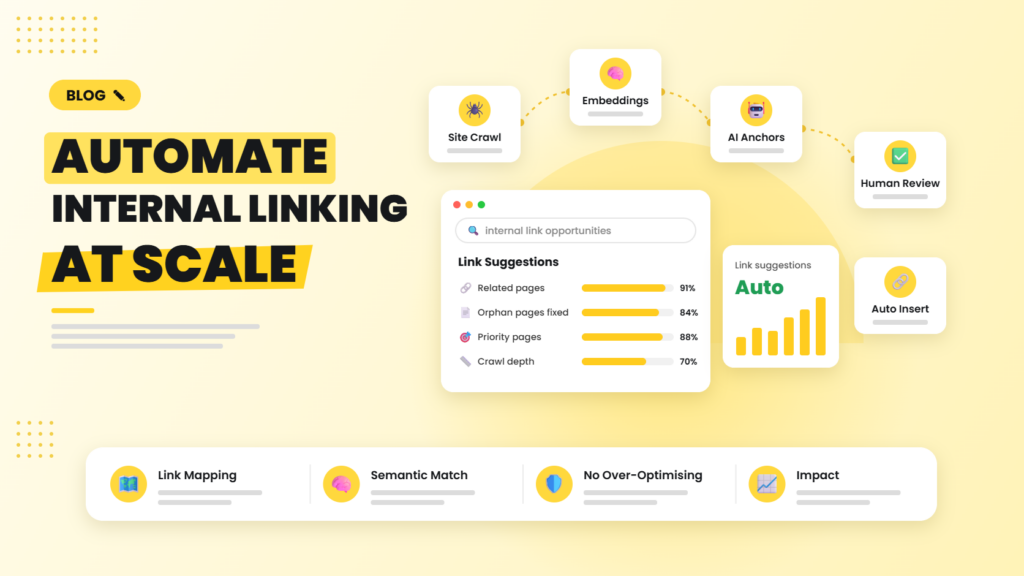
Quick answer: To automate internal linking, crawl your site to map existing links, use embeddings or AI to find semantically related pages, generate link suggestions with natural anchor text, review them in a spreadsheet, and then insert approved links through your CMS API or a linking plugin. Re-run the process whenever new content is published so older pages link to it too.
Why internal linking deserves automation
Internal links distribute authority, help crawlers discover pages, and signal topical relationships. They also build the topic clusters that both Google and AI search engines use to judge expertise. The challenge is scale: every new article creates dozens of potential linking opportunities in older content, and nobody has time to find them manually.
What to automate, and what to keep human
- Automate: finding orphan and under-linked pages, discovering related content, suggesting anchor text, inserting approved links, and monitoring broken internal links.
- Keep human: choosing priority pages, approving suggestions, and making sure links read naturally for users.
Step 1: Map your current internal links
Crawl your site with Screaming Frog, Sitebulb or a similar crawler and export all inlinks. For each URL, calculate the number of unique internal links pointing to it and its crawl depth. Combine this with Search Console clicks and impressions so you can see which valuable pages are under-linked.
Step 2: Find semantically related pages with embeddings
Embeddings turn each page’s content into a numeric vector that captures meaning. Pages with similar vectors are about similar topics, even if they use different words. Screaming Frog can now generate embeddings during a crawl via AI provider APIs, or you can use a simple script with an embeddings model. For every page, list the top five to ten most similar pages that do not already link to each other.
Step 3: Generate anchor text suggestions
Ask an AI model to read the source paragraph and the target page title, then suggest where a link fits naturally and which existing phrase could become the anchor. Instruct it to use varied, descriptive anchors and to avoid forcing exact-match keywords into every link.
Step 4: Review suggestions in a spreadsheet
Push suggestions into Google Sheets with columns for source URL, target URL, anchor text, context sentence, similarity score and an approve or reject dropdown. An editor can review 100 suggestions in well under an hour, which is far faster than finding them from scratch.
Step 5: Insert approved links automatically
Once approved, an n8n or Make workflow can update the content through the WordPress REST API, or you can use linking plugins such as Link Whisper or Rank Math’s link suggestions for a no-code approach. For page builders like Elementor, make sure the automation edits the builder data rather than only the post content, or use the builder’s own tools.
Step 6: Keep it running
Trigger the process whenever a new post is published, so older related posts link to it within days rather than never. Run a monthly crawl to catch broken internal links, redirect chains and newly orphaned pages.
Rules that prevent over-optimisation
- Limit automated additions to a few links per page per run.
- Never repeat the same exact-match anchor across dozens of pages.
- Only link when the target genuinely helps the reader at that point.
- Avoid adding links in navigation-heavy or boilerplate areas.
- Prioritise links from high-traffic pages to important commercial pages.
How to measure impact
Track the number of orphan pages, the average inlinks to priority pages, crawl depth, and, most importantly, impressions and clicks for target pages over the following six to twelve weeks. Internal linking improvements often show up first as more impressions for mid-tail queries.
Internal linking is also central to building topical authority. If you want this done for your site, our SEO services team can map and automate it, and our guide to automated technical SEO audits covers ongoing monitoring.
Frequently asked questions
Can internal linking be automated safely?
Yes, if suggestions are based on real topical relevance, anchor text is varied and natural, and a human approves links before they go live. Fully unreviewed automation risks awkward or spammy links.
How many internal links should a blog post have?
There is no fixed number. Most in-depth articles naturally support several contextual links to related content and one or two to relevant service or product pages. Relevance matters more than count.
What are embeddings in SEO?
Embeddings are numeric representations of content meaning created by AI models. Comparing them shows which pages cover similar topics, which is useful for internal linking, clustering and finding cannibalisation.
What is the best WordPress plugin for internal linking?
Link Whisper, Rank Math and Yoast SEO Premium all offer internal link suggestions. For larger sites, a custom workflow using crawl data and embeddings usually gives more accurate results.
Do internal links help with AI search visibility?
They help indirectly. Clear internal linking makes your content easier to crawl and shows topical depth, both of which support visibility in Google AI Overviews and other AI-powered search experiences.
We map your internal link structure, surface orphan and under-linked pages, and build an automated linking process that strengthens your topical authority.

Riya Bhardwaj
Leading content and growth initiatives with a focus on search visibility, audience engagement, and measurable business outcomes. Specialised in SEO, Generative Engine Optimization (GEO), AI search optimisation, and performance-driven content marketing. Passionate about transforming market insights into scalable content strategies that strengthen brand authority and drive sustainable digital growth.