
A developer pushes a release on Friday evening. A template accidentally adds a noindex tag, or a plugin update breaks canonical tags across 3,000 product pages. Nobody notices until traffic drops two weeks later. Manual quarterly audits cannot protect you from this. Automated technical SEO audits can, by checking your site every day and alerting you within hours.
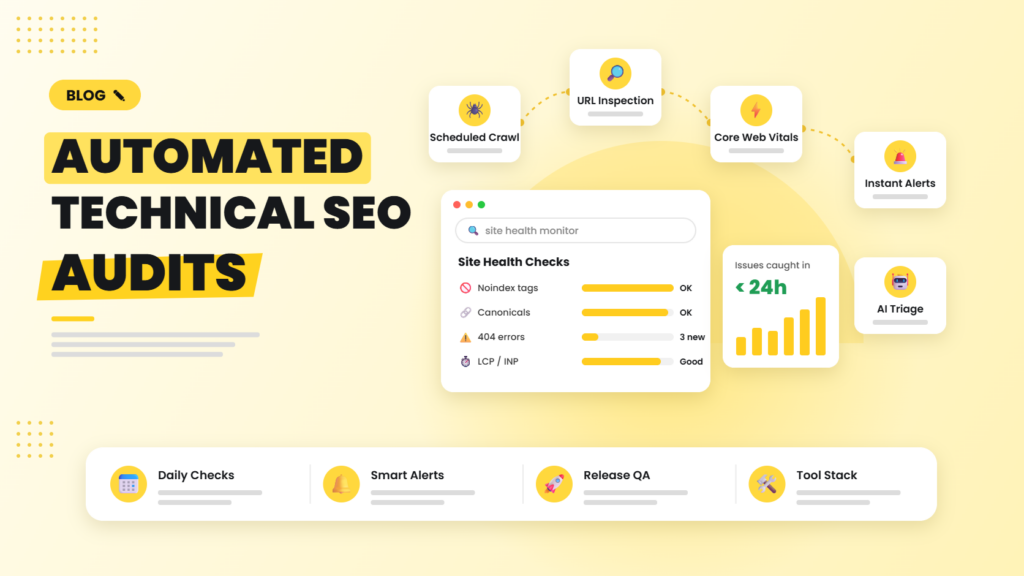
Quick answer: An automated technical SEO audit combines a scheduled crawler (Screaming Frog, Sitebulb, JetOctopus or Ahrefs Site Audit), the Search Console and URL Inspection APIs, the PageSpeed Insights API and change-detection rules. It compares each crawl with the last one and sends alerts only for new or critical issues like noindex tags, 5xx errors, broken canonicals, robots.txt changes and Core Web Vitals regressions.
Why one-off audits are not enough anymore
Modern websites change constantly: CMS updates, new plugins, marketing landing pages, CDN rules, JavaScript frameworks. Each change can quietly break crawling, indexing or performance. A one-off audit is a snapshot; automated auditing is a security camera.
What to monitor automatically
Critical (alert immediately)
- Noindex tags or X-Robots-Tag headers appearing on important pages.
- robots.txt changes, especially new Disallow rules.
- Homepage or key templates returning 4xx or 5xx status codes.
- Canonical tags pointing to the wrong URL or missing site-wide.
- XML sitemap errors or sitemaps suddenly shrinking.
Important (daily digest)
- New broken internal links and redirect chains.
- Pages dropping out of the index according to the URL Inspection API.
- Core Web Vitals regressions on key templates (LCP, INP, CLS).
- Missing or duplicate title tags and meta descriptions on new pages.
- Structured data errors in product, article or FAQ markup.
Monitor weekly
- Orphan pages, crawl depth and internal link distribution.
- Hreflang issues on multilingual sites.
- Image weight, unused JavaScript and render-blocking resources.
How to build your automated audit system
Step 1: Schedule your crawler
Screaming Frog supports scheduled crawls with automatic exports to Google Sheets or Looker Studio. Cloud crawlers like Sitebulb Cloud, JetOctopus, Lumar and Ahrefs or Semrush Site Audit run on a schedule without a desktop machine. Crawl key templates daily and the full site weekly.
Step 2: Add lightweight uptime and change monitoring
Tools such as ContentKing-style change trackers, or a simple n8n workflow that fetches your top 50 URLs every hour, can compare status codes, meta robots, canonical tags and titles against a stored baseline and alert on any change.
Step 3: Monitor indexing with the URL Inspection API
The URL Inspection API lets you check up to 2,000 URLs per day per property. Rotate through your most important pages so each is checked at least weekly, and alert when coverage status changes.
Step 4: Track speed with the PageSpeed Insights API
Run PSI daily on one representative URL per template. Store both lab scores and real-user CrUX field data, and alert when LCP, INP or CLS moves from “good” to “needs improvement”.
Step 5: Send smart alerts
The biggest mistake is alert fatigue. Only alert on new issues compared with the previous run, group issues by template rather than listing every URL, and route critical alerts to Slack or WhatsApp while sending everything else as a daily email digest.
Step 6: Let AI triage the findings
An AI step can read the crawl diff and write a short summary: what broke, how many pages are affected, likely cause (for example, “canonical removed from all /product/ pages after last night’s theme update”) and who should fix it.
Integrate with your release process
The best teams run a quick SEO check on staging before every release, testing robots directives, canonicals, titles and structured data on sample URLs. A failed check blocks deployment. It is the cheapest SEO insurance you can buy.
Want a head start? Read our guide to automating daily SEO tasks, or let our technical SEO services team set up monitoring for you.
Frequently asked questions
How often should I run a technical SEO audit?
Critical pages and templates should be checked daily, the full site weekly, and a deep manual audit done every quarter. Automation handles the daily and weekly checks.
Can Screaming Frog run automated audits?
Yes. Screaming Frog supports scheduled crawls, crawl comparison and automatic export to Google Sheets and Looker Studio, which makes it a solid base for automated auditing.
What is the URL Inspection API limit?
The URL Inspection API allows up to 2,000 inspections per day and 600 per minute for each Search Console property.
How do I avoid too many SEO alerts?
Alert only on new issues compared with the previous crawl, group issues by template, and separate critical alerts from a daily digest of lower-priority issues.
Do small websites need automated SEO audits?
Yes, even a basic setup helps. A free weekly scheduled crawl plus uptime and noindex monitoring on your top pages can prevent costly traffic losses.
We set up automated crawls, speed monitoring and indexing alerts for your site, and our technical SEO team fixes issues the moment they appear.

Riya Bhardwaj
Leading content and growth initiatives with a focus on search visibility, audience engagement, and measurable business outcomes. Specialised in SEO, Generative Engine Optimization (GEO), AI search optimisation, and performance-driven content marketing. Passionate about transforming market insights into scalable content strategies that strengthen brand authority and drive sustainable digital growth.