
Most SEO teams still start the day the same way: open Search Console, export a few reports, check rankings, scan for 404s, paste numbers into a sheet and write a status update. None of that is strategy. It’s data plumbing, and in 2026 almost all of it can run on its own. This guide shows exactly which daily SEO tasks to automate, which tools to use, and how to set up a workflow that hands you insights instead of chores.
Quick answer: You can automate most daily SEO work by connecting the Google Search Console API, PageSpeed Insights API and your crawler to a workflow tool like n8n, Make or Zapier, storing results in Google Sheets or BigQuery, and adding an AI step that summarises changes and flags anomalies. Automate data collection, monitoring and reporting; keep strategy, content judgement and link outreach decisions human.
The goal isn’t to “automate SEO”. It’s to remove the repetitive 60–70% of the job so your team spends its hours on the work that actually moves rankings. Start by listing what you do every single day.
The daily SEO tasks worth automating first
1. Search Console performance pulls. Clicks, impressions, CTR and position by page and query. The Search Console API lets you pull this daily (up to 25,000 rows per request), so there’s no reason to export CSVs by hand.
2. Ranking and visibility checks. Instead of checking keywords manually, schedule a daily rank-tracking job and only get notified when a priority keyword moves more than a set number of positions.
3. Indexing status. The URL Inspection API can check whether your newest or most important URLs are indexed, so you catch “Crawled – currently not indexed” problems within a day, not a month.
4. Broken links, redirects and status codes. A scheduled crawl (Screaming Frog, Sitebulb or a cloud crawler) can run overnight and push only new errors to Slack or email.
5. Page speed and Core Web Vitals. The PageSpeed Insights API is free and returns both lab and field data, perfect for a daily check on your top templates.
6. Reporting. Daily and weekly reports should build themselves in Looker Studio or a Sheet, with an AI-written summary on top.
The tool stack: what you actually need
You don’t need an enterprise platform. A lean, reliable stack looks like this:
- Workflow engine: n8n (self-hosted or cloud), Make or Zapier to schedule jobs and connect APIs.
- Data sources: Google Search Console API, GA4 Data API, PageSpeed Insights API, your rank tracker’s API and your crawler’s exports.
- Storage: Google Sheets for small sites; BigQuery (including the free Search Console bulk export) once you pass a few thousand pages.
- AI layer: an LLM step (ChatGPT, Claude or Gemini via API) to summarise changes, classify queries by intent and draft recommendations.
- Alerts: Slack, Microsoft Teams, email or WhatsApp for anything that needs a human.
Step-by-step: build your daily SEO automation workflow
Step 1: Schedule a daily Search Console pull
In n8n, add a Schedule Trigger set for early morning. Connect a Google Search Console node (or an HTTP Request node with OAuth) and request yesterday’s data by page and query. Note that Search Console data usually lags by two to three days, so pull a rolling window and de-duplicate by date.
Step 2: Store everything in one place
Append the rows to a Google Sheet or BigQuery table. Keeping history is what makes automation powerful: once you have 90 days of daily data you can detect trends that a single export will never show.
Step 3: Add change detection
Compare the last 7 days with the previous 7 days for each page. Flag pages where clicks dropped more than 20%, pages that gained impressions but lost CTR, and queries sitting in positions 8–15 (your fastest wins).
Step 4: Let AI write the summary
Send only the flagged rows, not the whole dataset, to an AI step with a clear prompt: “Summarise the three most important SEO changes, likely causes, and one recommended action for each.” Smaller inputs give faster, more accurate answers and cost far less.
Step 5: Route alerts to the right person
Send the summary to a Slack channel every morning. Critical issues, such as a key page returning a 404 or being de-indexed, should trigger an instant alert instead of waiting for the digest.
Step 6: Automate the weekly report
Connect your Sheet or BigQuery table to Looker Studio. The dashboard updates itself, and your weekly client or management email becomes a two-minute review instead of a two-hour build.
What you should not automate
Automation is fantastic at collecting and watching data. It’s poor at judgement. Keep these human-led:
- Deciding content priorities and topical strategy.
- Publishing AI-written content without expert editing (Google’s spam policies target scaled, low-value content regardless of how it’s made).
- Link building outreach and digital PR relationships.
- Interpreting algorithm updates and deciding how to respond.
How much time does this save?
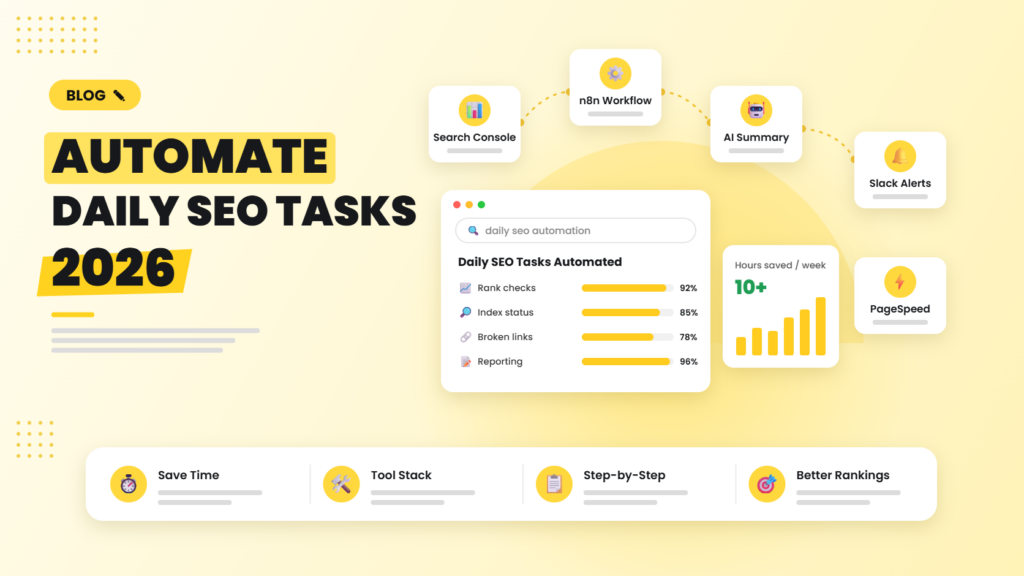
For a typical in-house team or agency account, daily data pulls, checks and reporting take 1.5–2 hours a day. A well-built workflow cuts that to a 15-minute review of the morning summary, which is where the “10+ hours a week” comes from. More importantly, problems are caught the day they happen instead of at the end of the month.
If you want this built for your site, our agentic AI SEO services team designs and maintains these workflows, and our technical SEO team handles whatever the alerts uncover.
Frequently asked questions
Can SEO be fully automated in 2026?
No. Data collection, monitoring, alerts and reporting can be automated almost completely, but strategy, content quality and link building still need human judgement. The best results come from automating the repetitive work so people can focus on decisions.
What is the best tool to automate SEO tasks?
For most teams, n8n offers the best flexibility and cost at scale, Make is great for visual multi-step workflows, and Zapier is the fastest to set up. Pair any of them with the Google Search Console API and Google Sheets or BigQuery.
Is the Google Search Console API free?
Yes. The Search Console API is free to use within Google’s quota limits, and the bulk data export to BigQuery is also free apart from standard BigQuery storage and query costs.
How do I get daily SEO alerts?
Schedule a daily workflow that pulls Search Console and crawl data, compares it with the previous period, and sends only significant changes, such as traffic drops, new 404s or de-indexed pages, to Slack, email or WhatsApp.
Will automated SEO reporting work for small businesses?
Yes. A small business can run a complete daily SEO workflow on n8n or Make with Google Sheets and Looker Studio for very little monthly cost, often less than one hour of manual reporting time.
We build automated SEO workflows that pull your data, flag what changed and tell your team exactly what to fix — so you spend time on growth, not spreadsheets.

Riya Bhardwaj
Leading content and growth initiatives with a focus on search visibility, audience engagement, and measurable business outcomes. Specialised in SEO, Generative Engine Optimization (GEO), AI search optimisation, and performance-driven content marketing. Passionate about transforming market insights into scalable content strategies that strengthen brand authority and drive sustainable digital growth.